Marlos
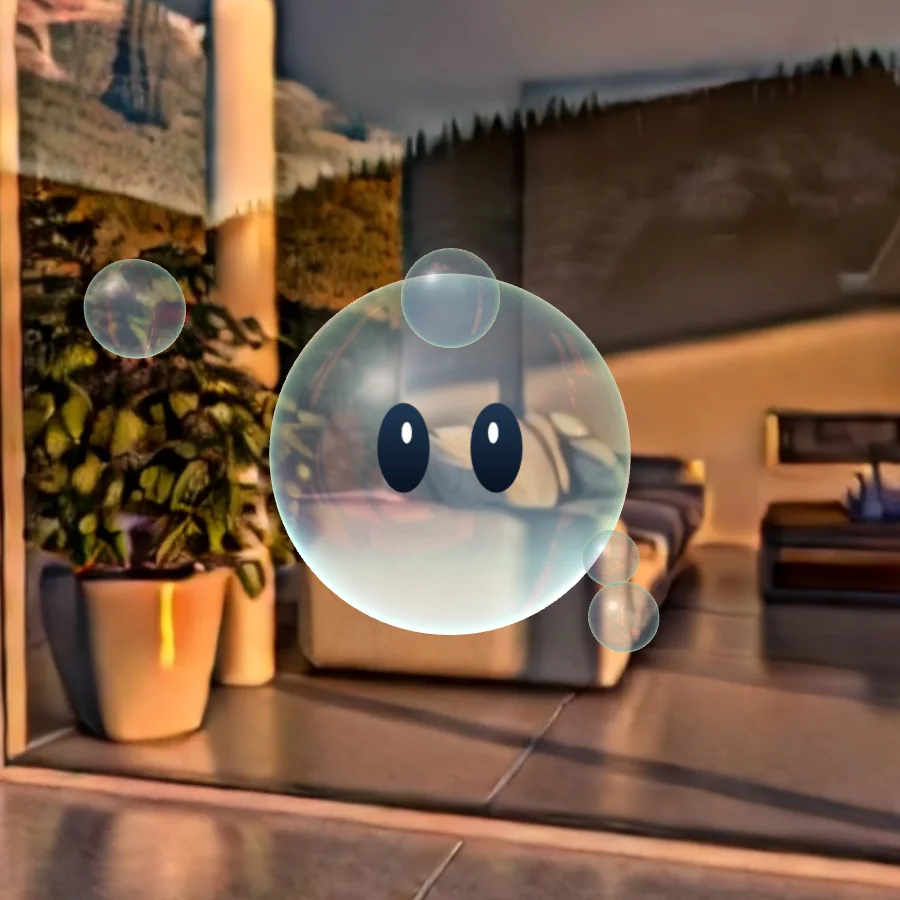
An AR-powered educational platform designed for students, offering interactive, gamified lessons in STEM and the arts.
Teachers maintain full control of the curriculum, using customizable lesson plans.
- Project Type
- AR Educational PlatformVision Pro AR AppAR Learning Platform
- Skills
- UX/UI DesignAR Content IntegrationInformation ArchitectureUser Experience TestingAI Development with SDKGamification & Reward SystemsAccessibility ResearchProject Management
- Team
- Kaitlynn A. HawrankeRoberta Reali
Short read
Expressions
My Role
I design the UX and UI of Marlos. Co-founded 2025 and in development, with Roberta Reali.
Marlos today
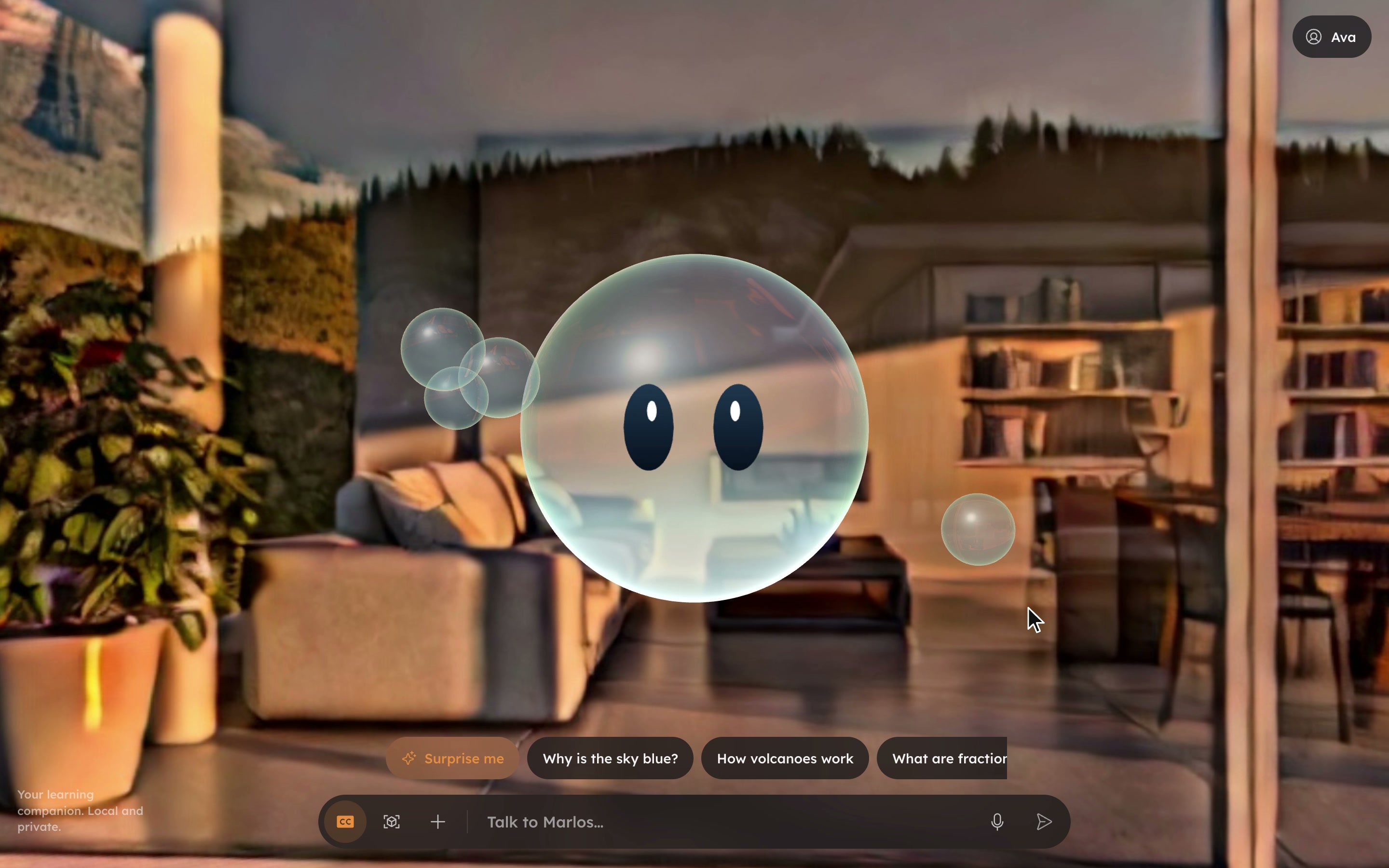
The current prototype is a local AI companion. Marlos is an AI learning helper for learners aged 10 to 14, and he looks like a small glass bubble with eyes. He has two users: the teacher runs the lesson, and each student has a personal Marlos that the lesson drives.
Research
The UI research shows two families of products that each own half of the idea. Presenter tools let a teacher move a whole class through a lesson together, but give students no AI. AI space tools give every student their own AI inside a teacher's frame, but students move at their own pace.
The same research audited the companion as it was then and found it structurally messy: up to four framed layers deep, six font weights and 21 sizes, and white on orange buttons that fail contrast.
No product we found combines a live, teacher paced lesson with a personal AI for every student.
- Two surface levels at mostThe 3D room, then one glass panel. Never glass on glass.
- Group with space, not boxesOnly inputs, buttons and generated media get a container.
- Three weights: 400, 500, 600Hierarchy from size plus three text colour tokens.
- The bubble is the only thinking indicatorNo spinners elsewhere.
Decisions
A real bubble, not a flat picture
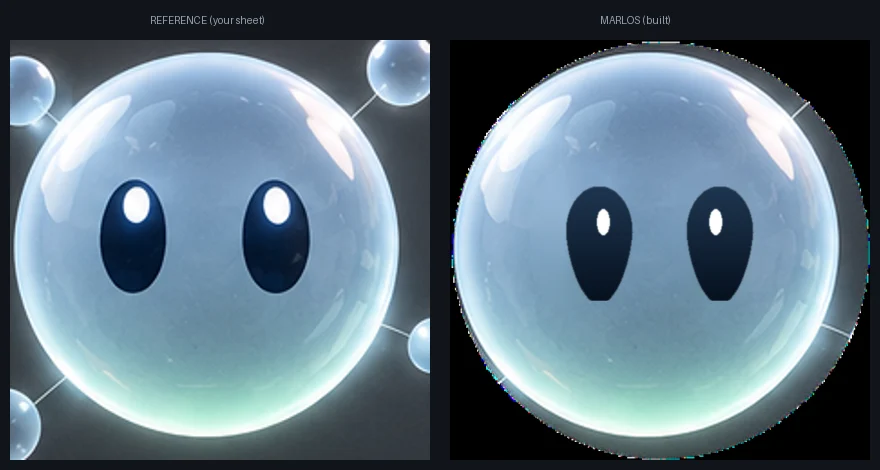
An earlier build was a flat billboard with connector wires to its satellites. Now the body is a glass shader sphere: it transmits and reflects the generated world, so he sits in the space instead of on top of it. The satellites are smaller free floating bubbles, with no wires.
Eyes only, driven by text
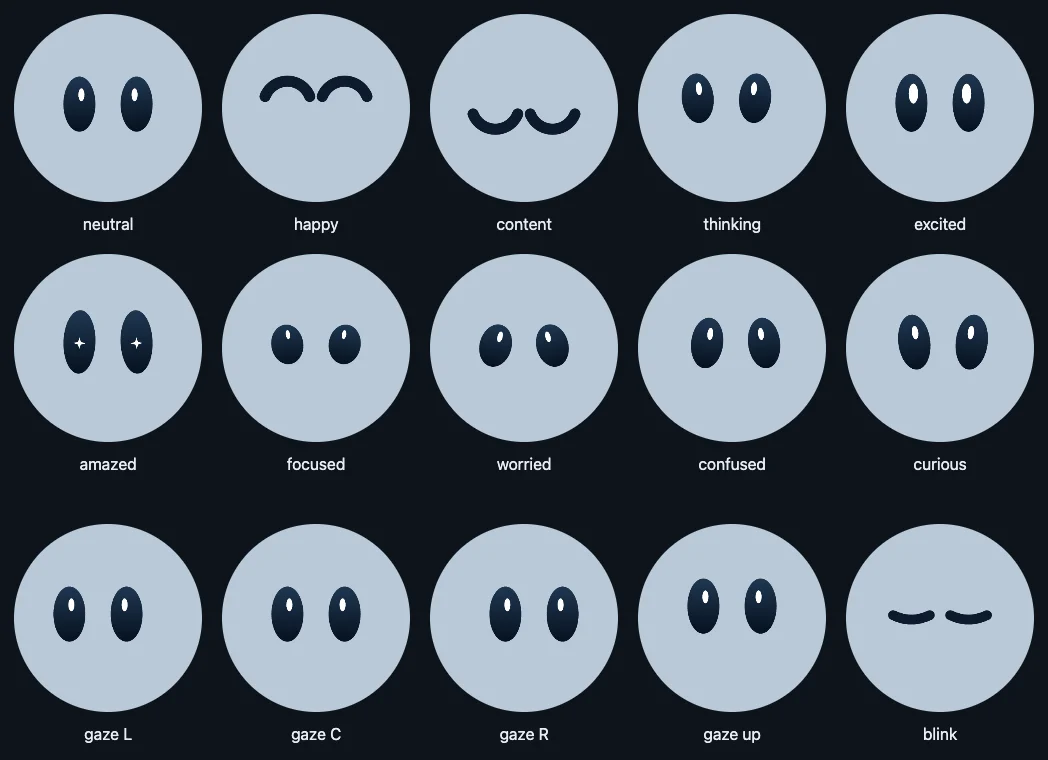
He expresses with eyes only, no mouth. His expression follows what is typed or said: no camera, and no reading of a child's face. The eyes are one continuous shape, so every mood flows into the next instead of snapping.
Marlos is an AI.
Orange, with dark ink
White on orange fails contrast, so buttons filled with the accent use dark ink, never white. One typeface, Lexend, in three weights. One icon set, Phosphor, in the regular weight. Three radii only.
The product today
Marlos runs on a local language model, on one computer inside the school: the Marlos hub, not a cloud.
Student, teacher, projector
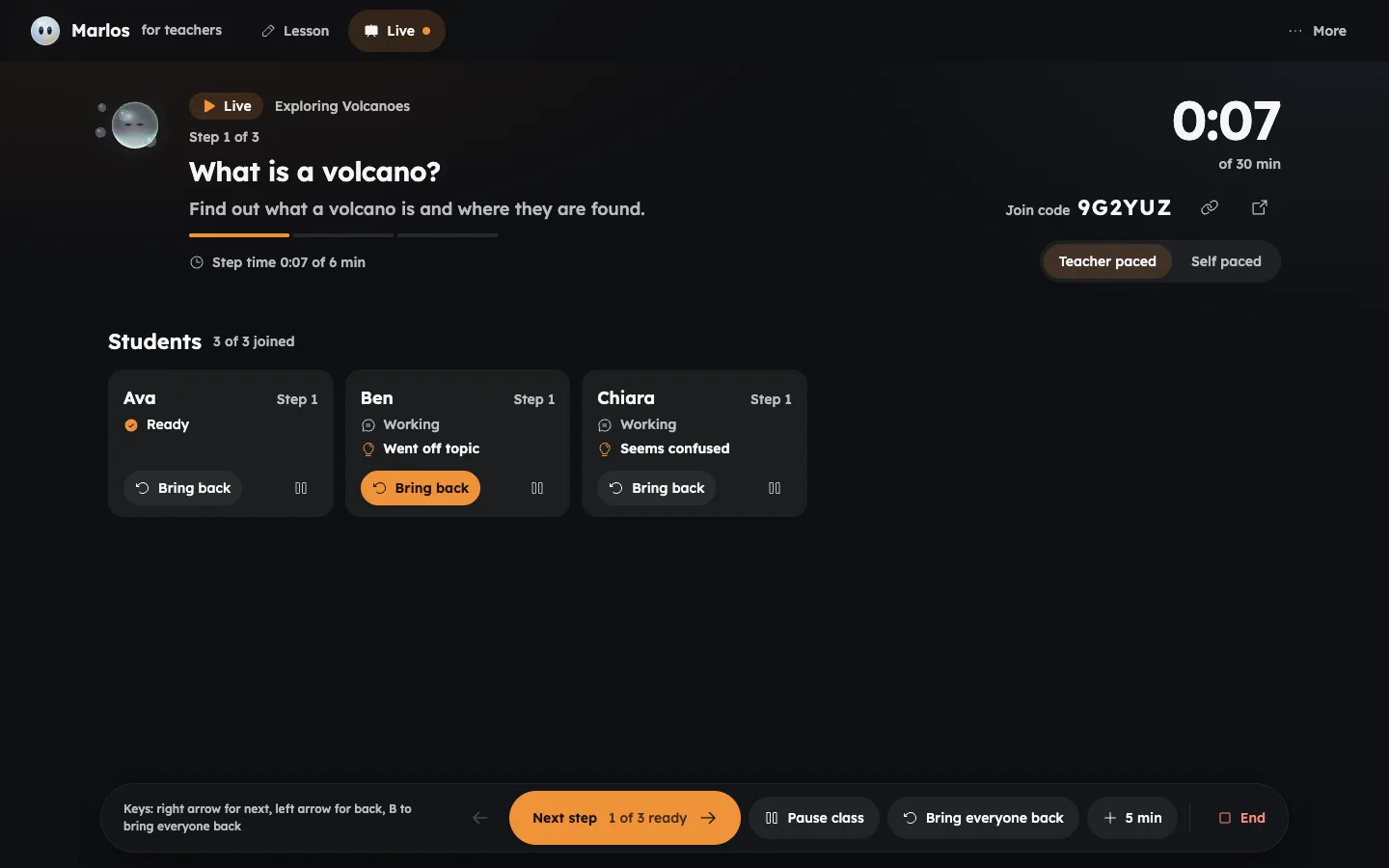
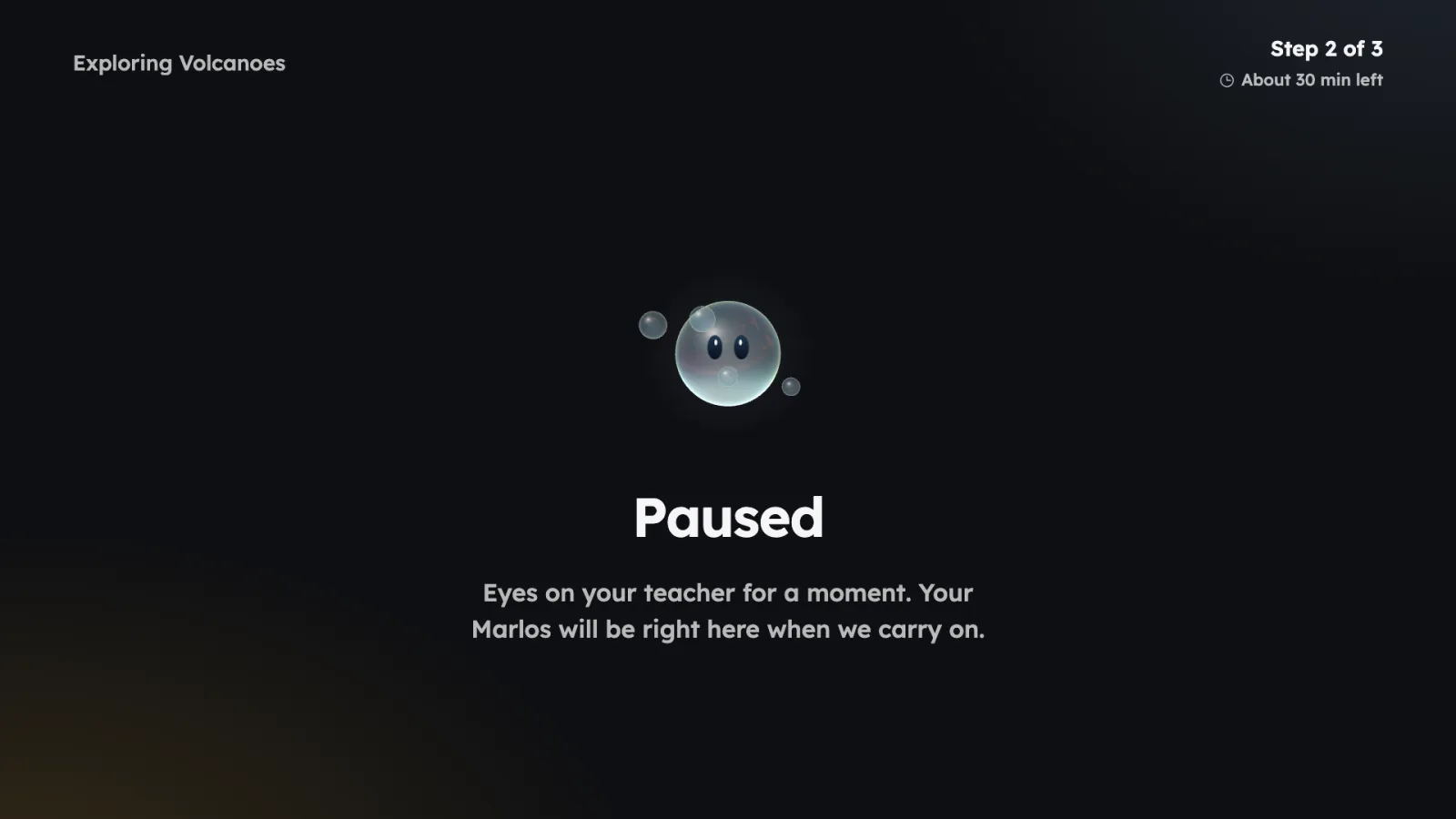
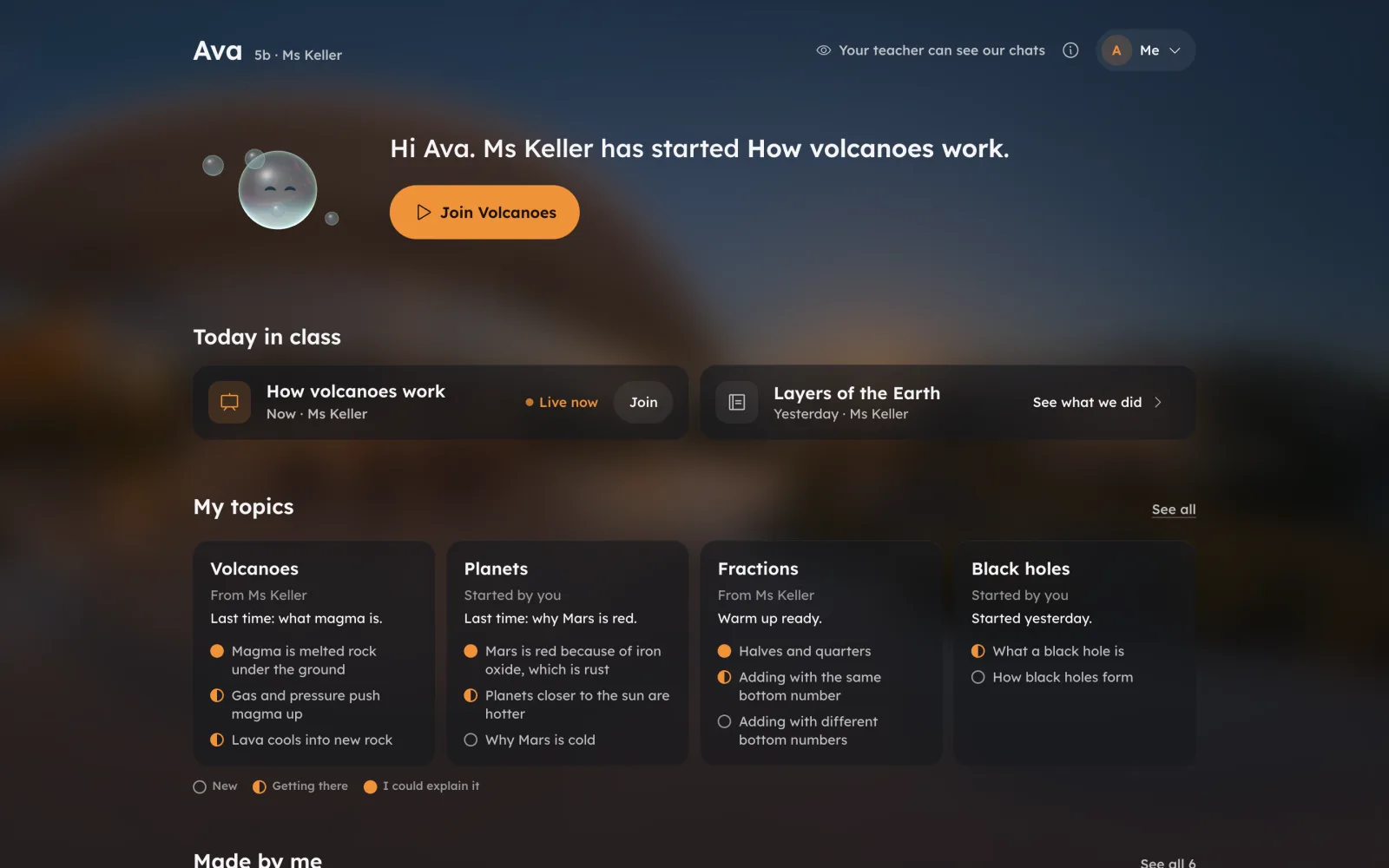
Students sign in with the class code, their name and a secret picture. The teacher describes the lesson in one sentence, Marlos drafts the steps, and the teacher moves the class through them in order. The projector shows the step and the class code, never a name.
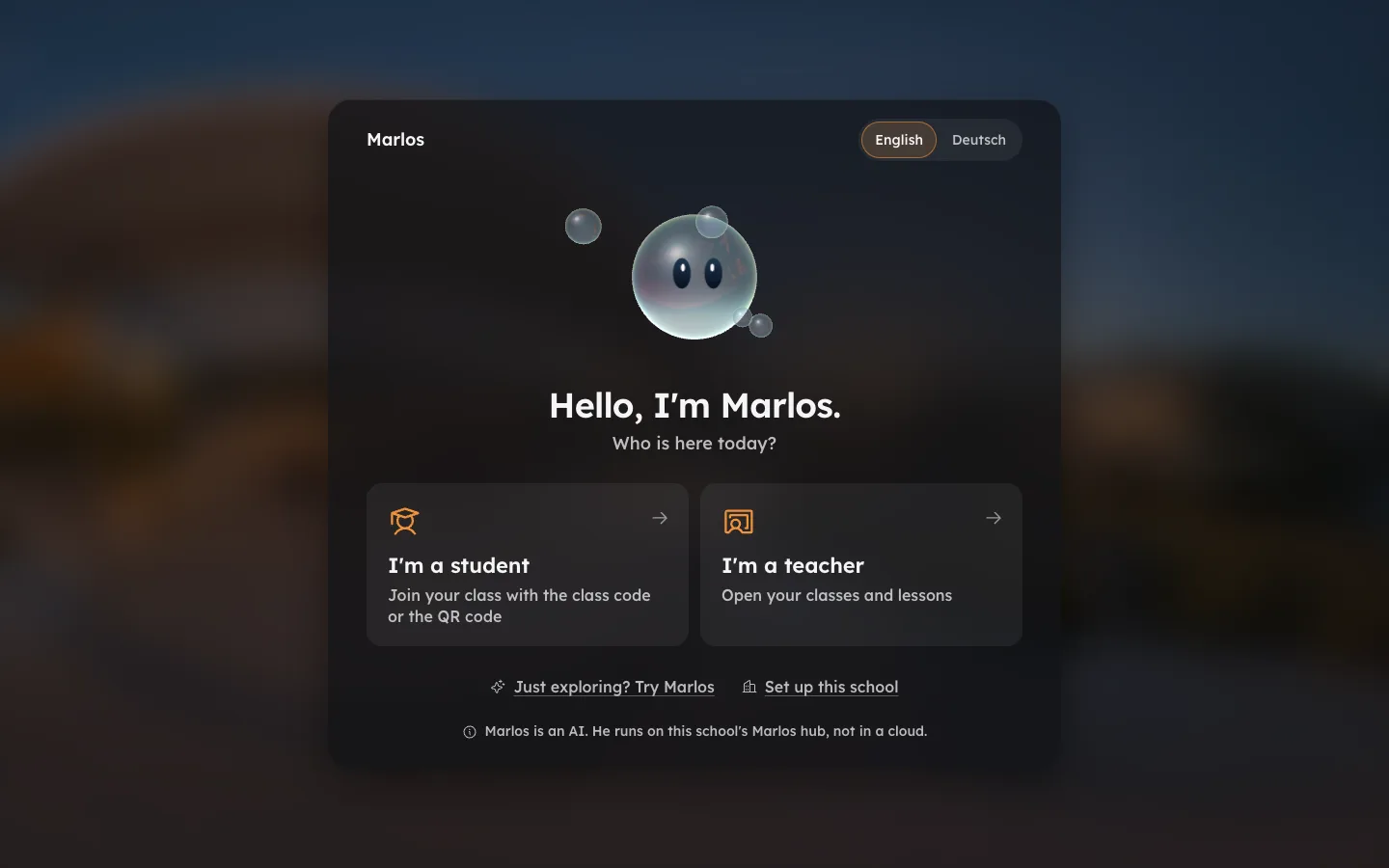
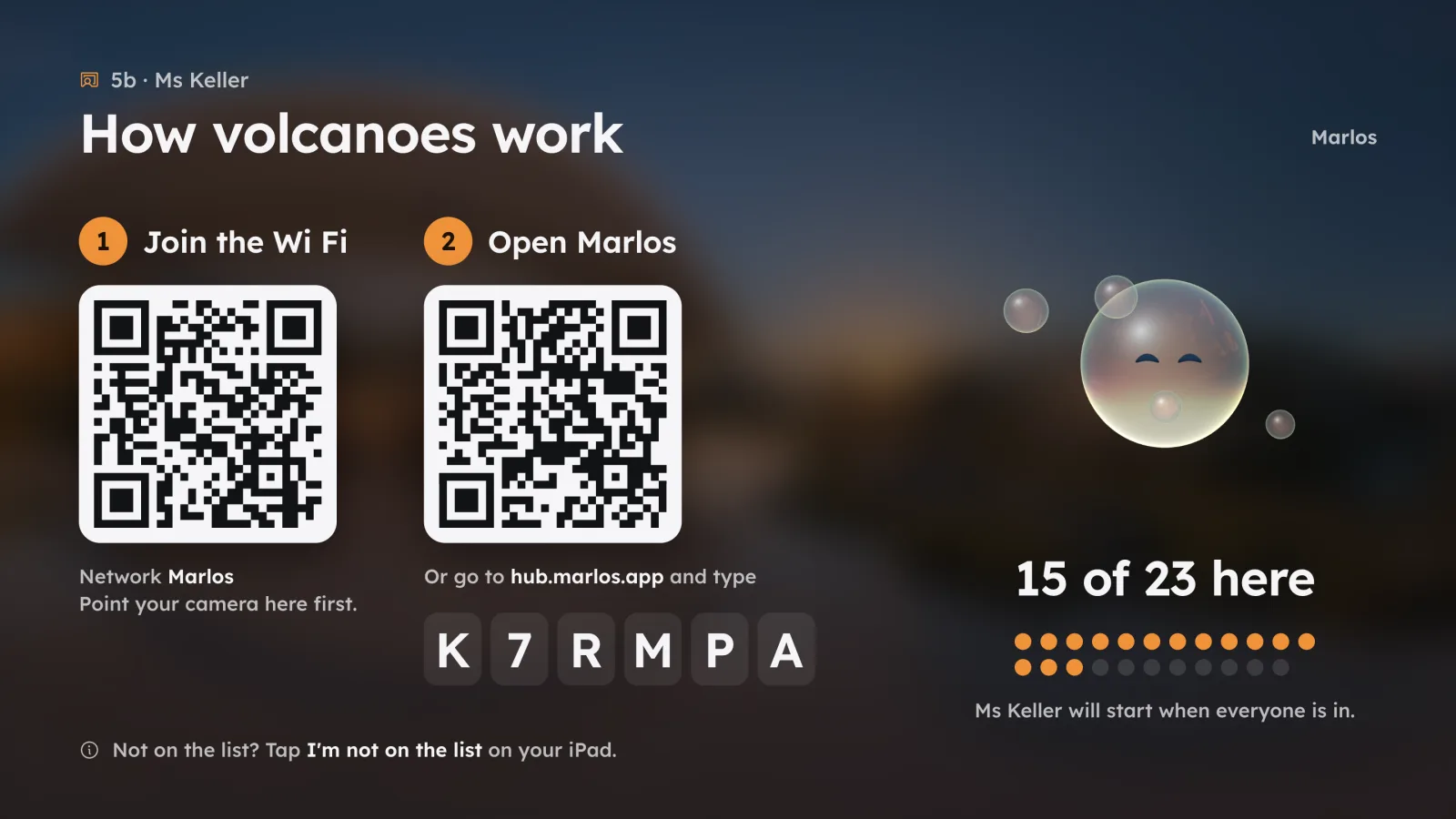
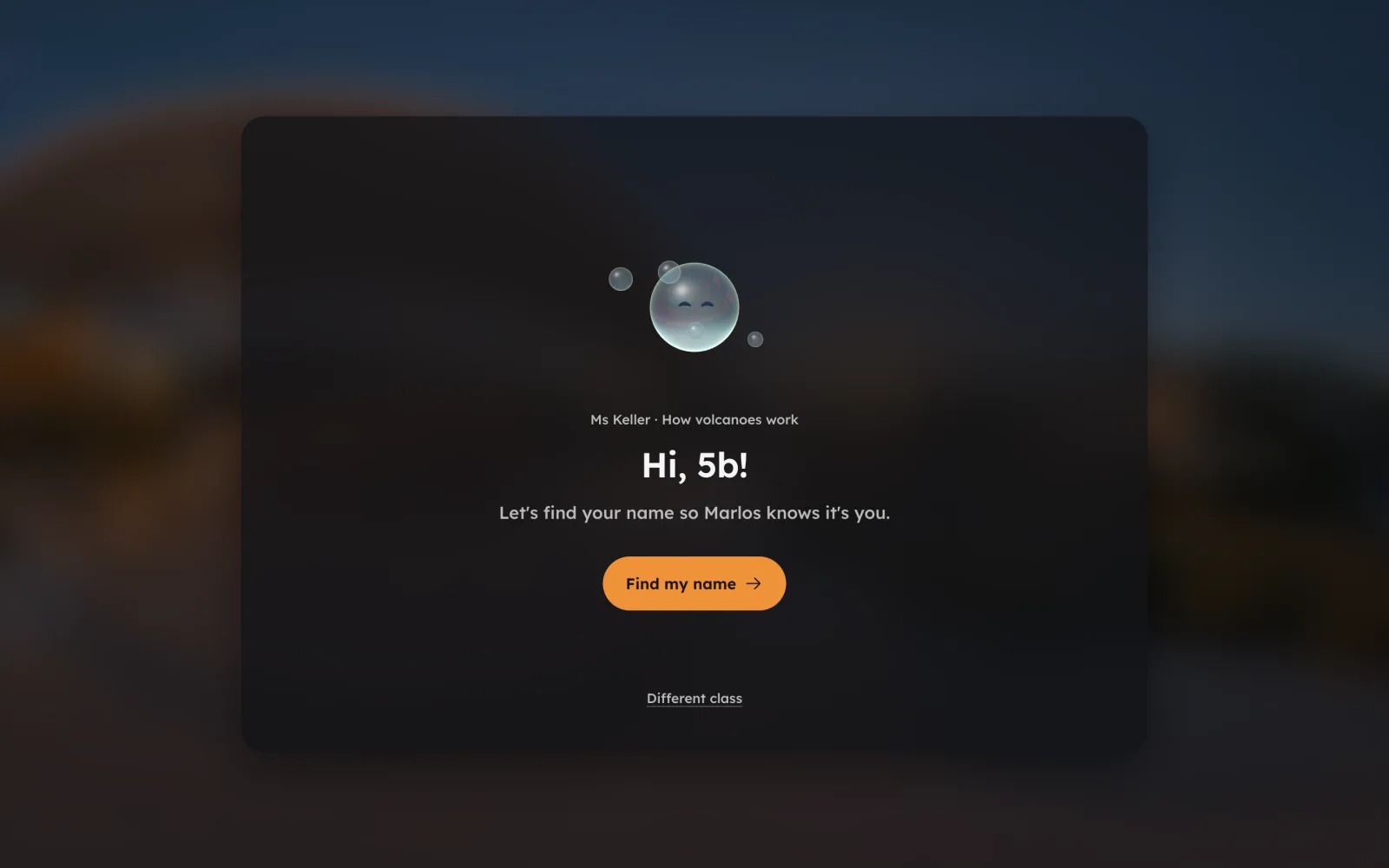
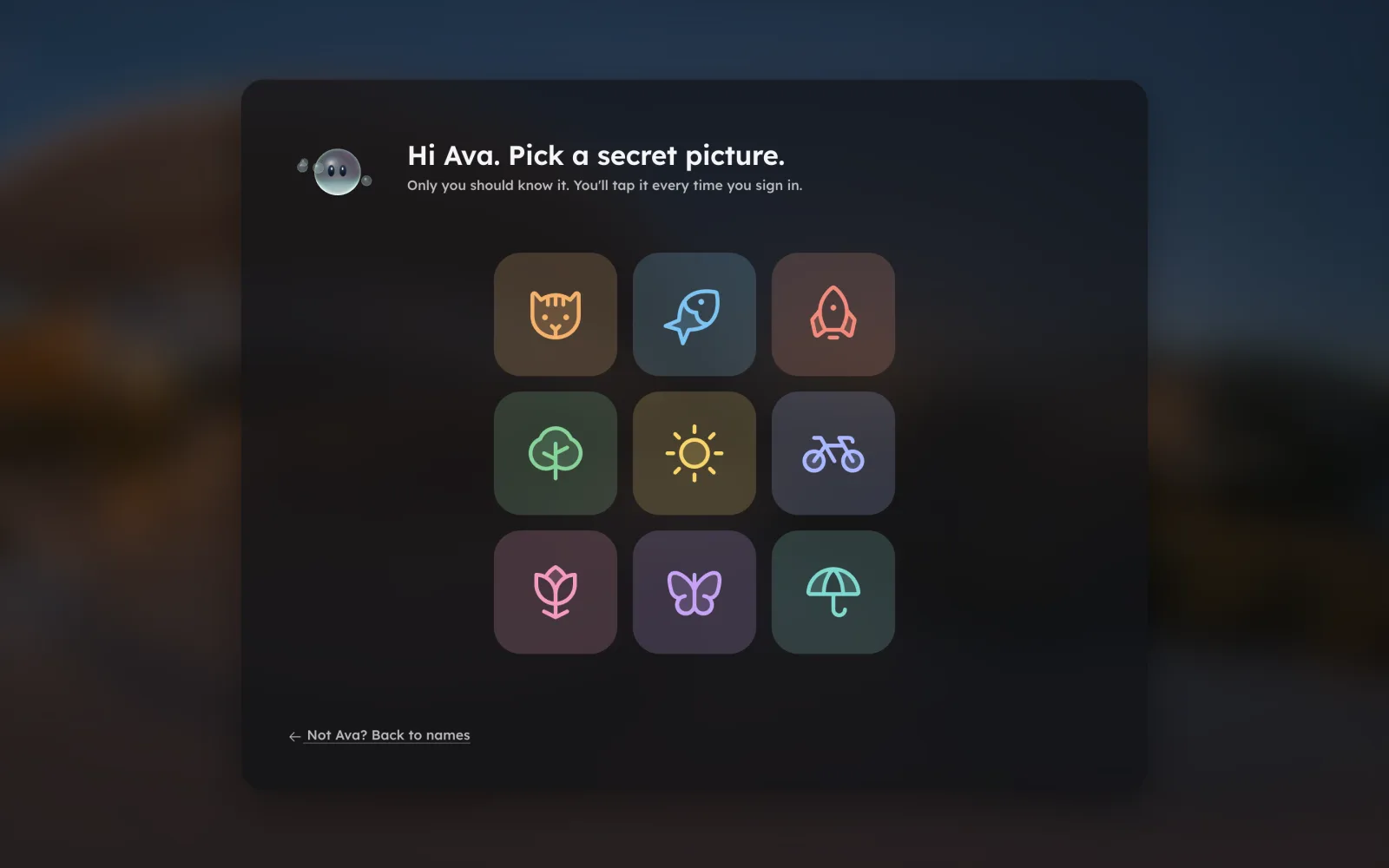
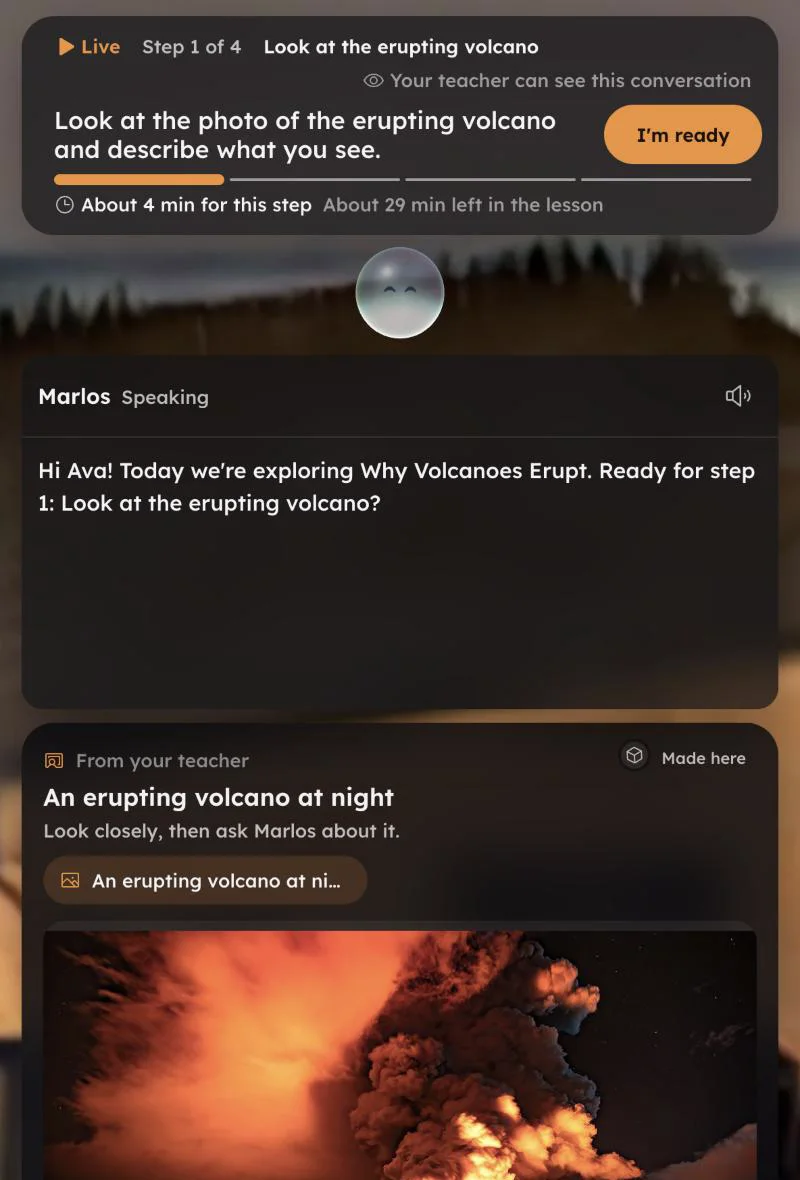
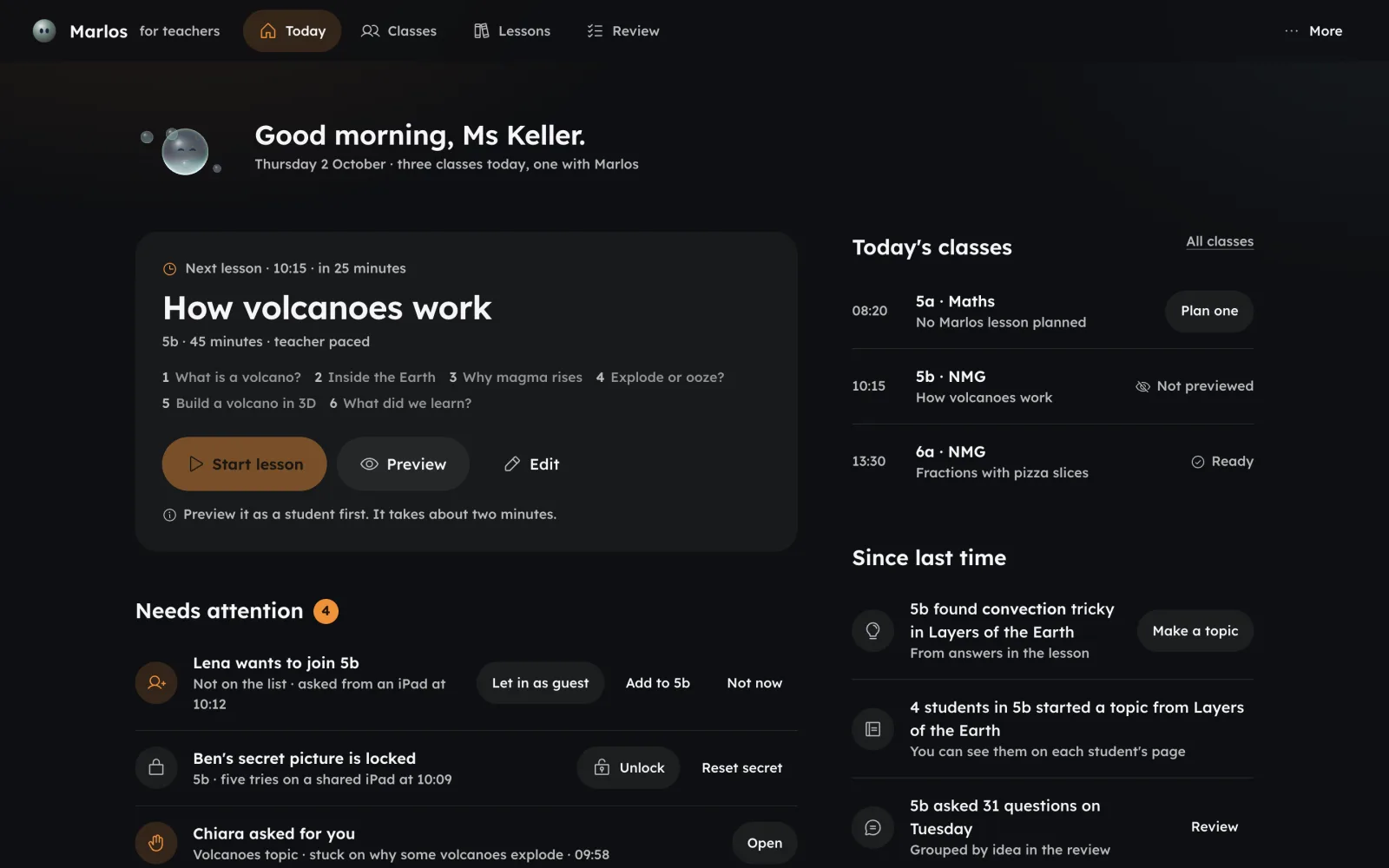
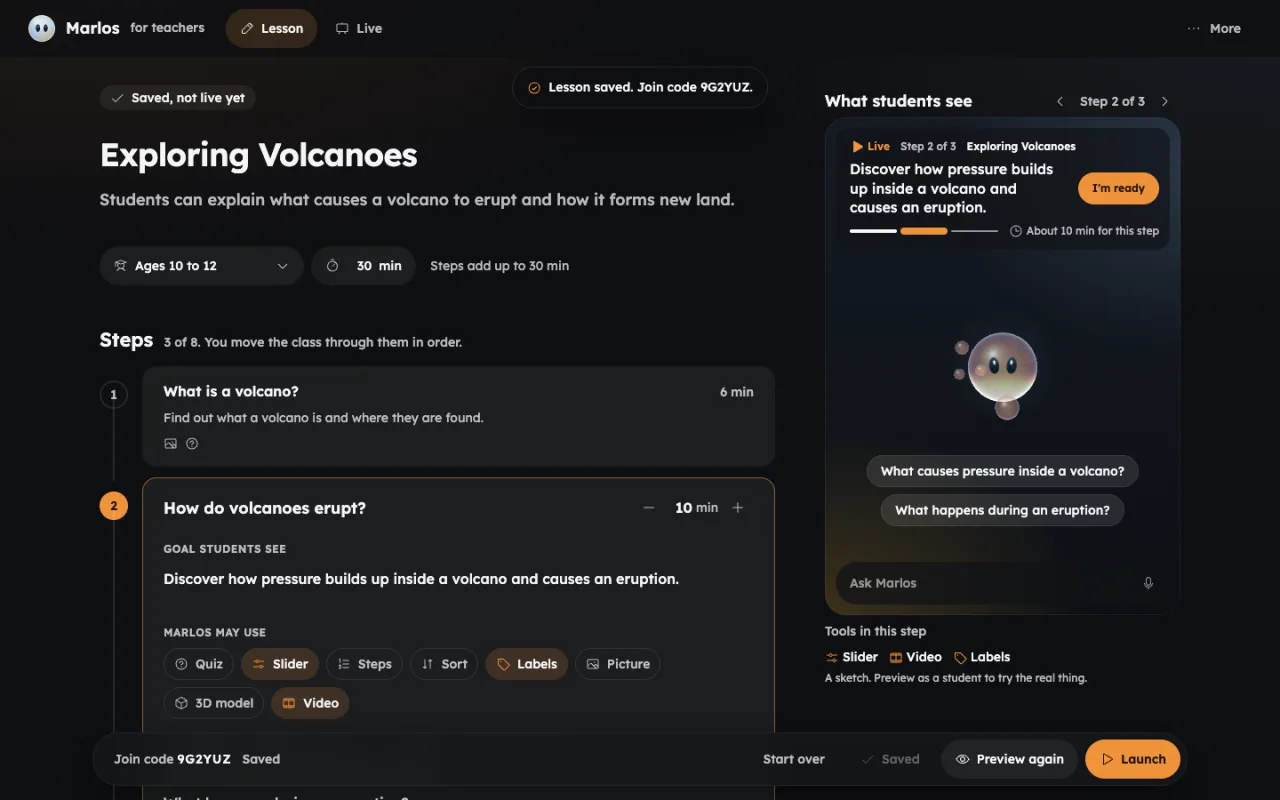
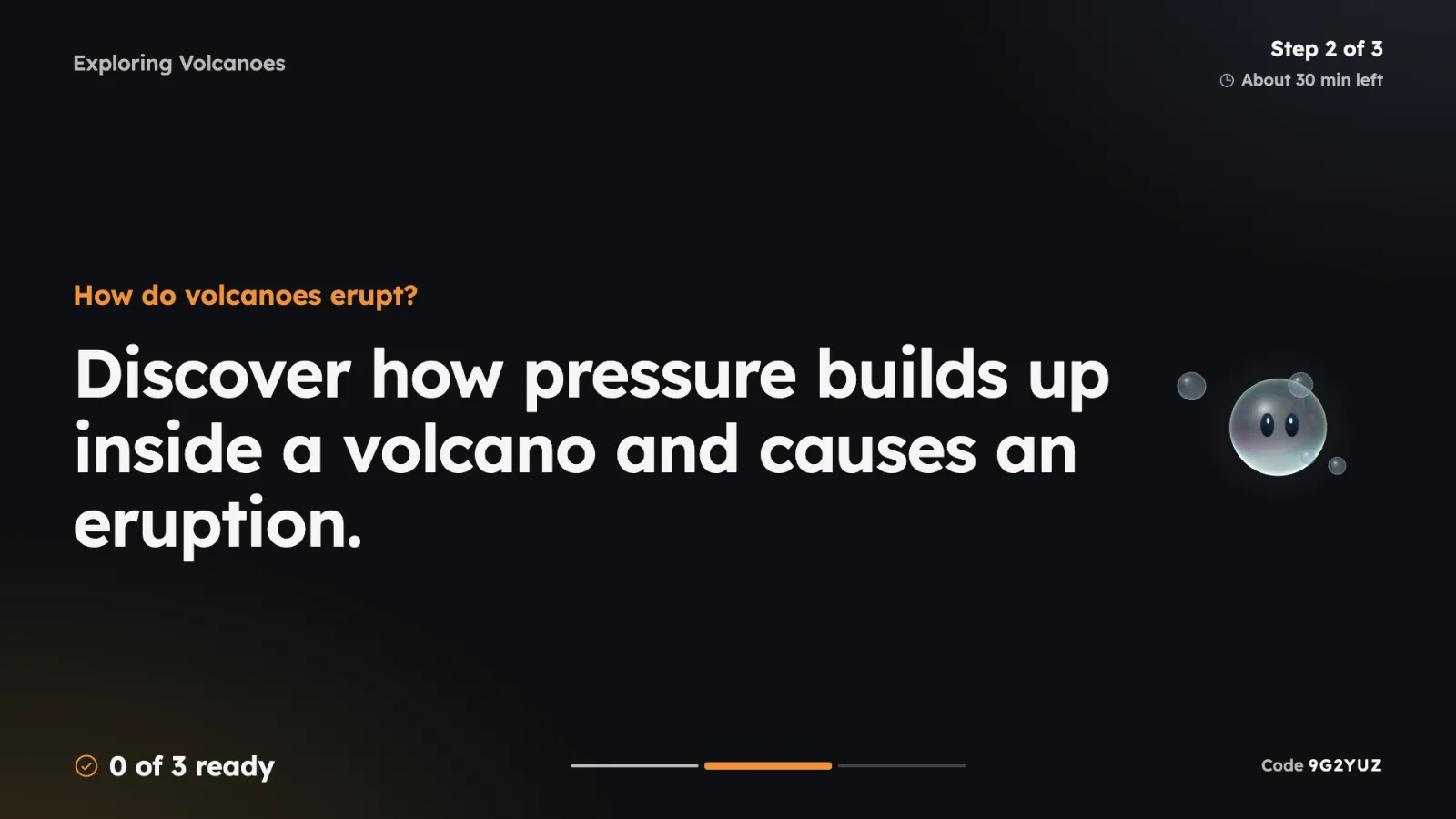
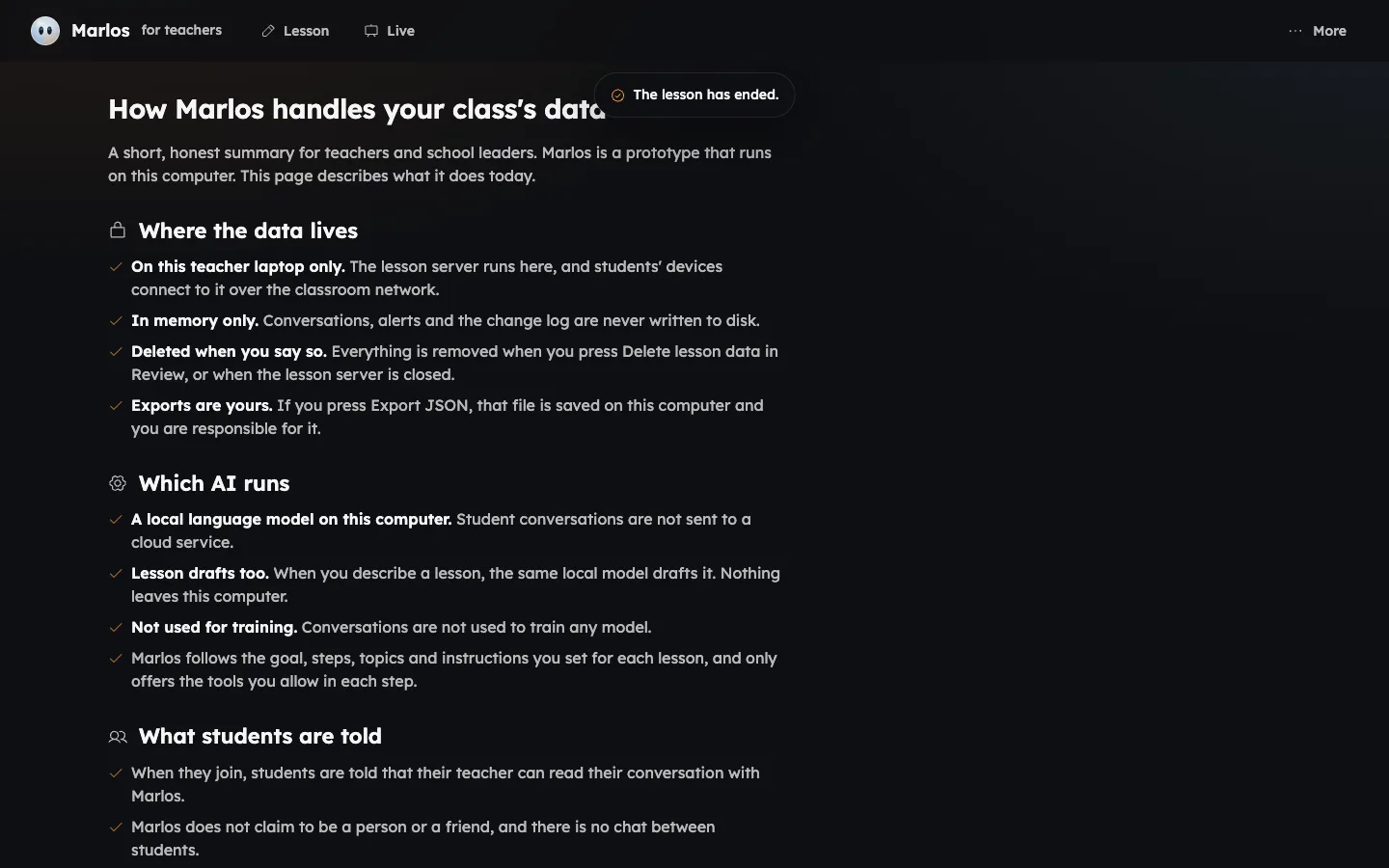
Step 1 / 8 Hub homePrototype screenshot
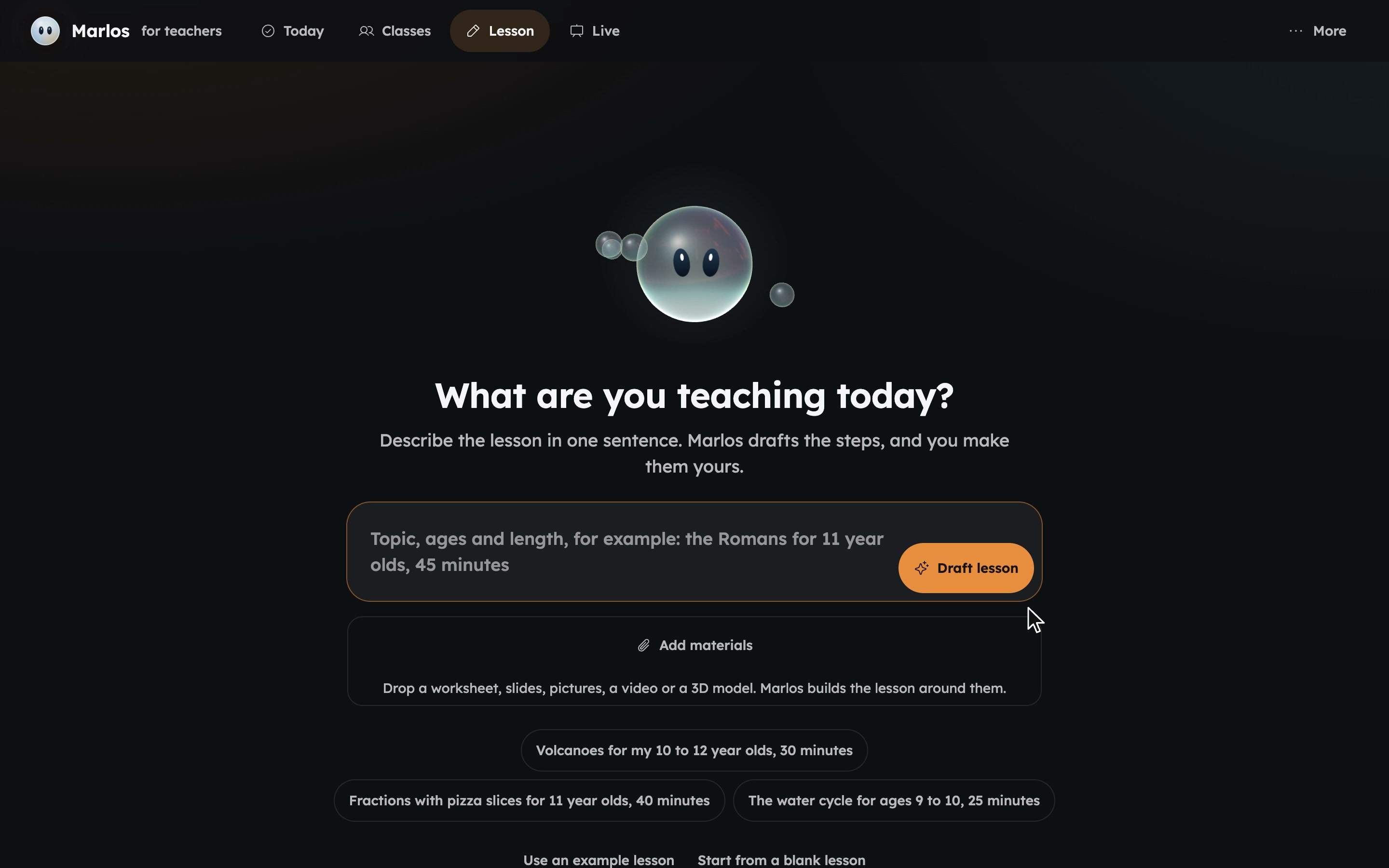
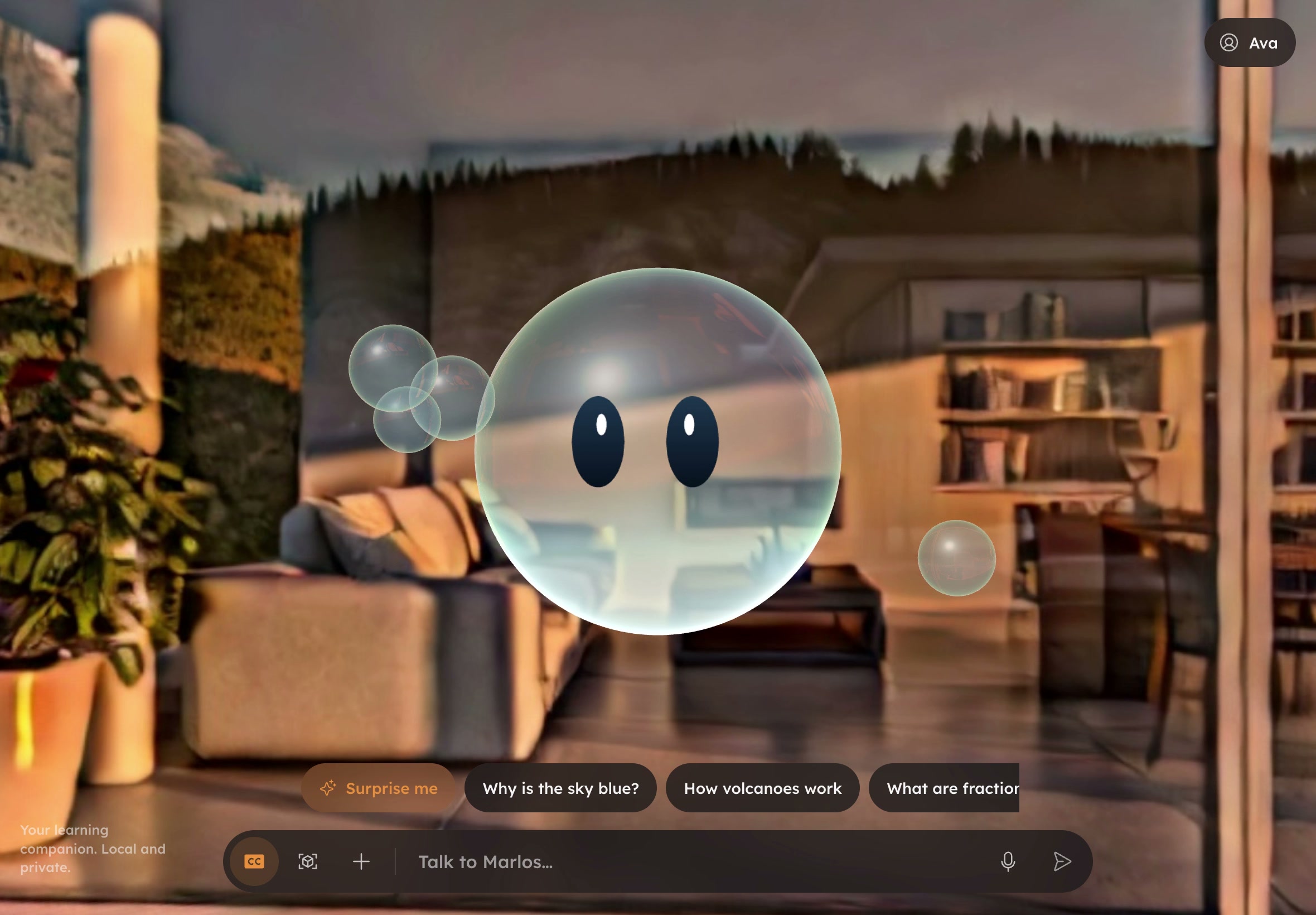
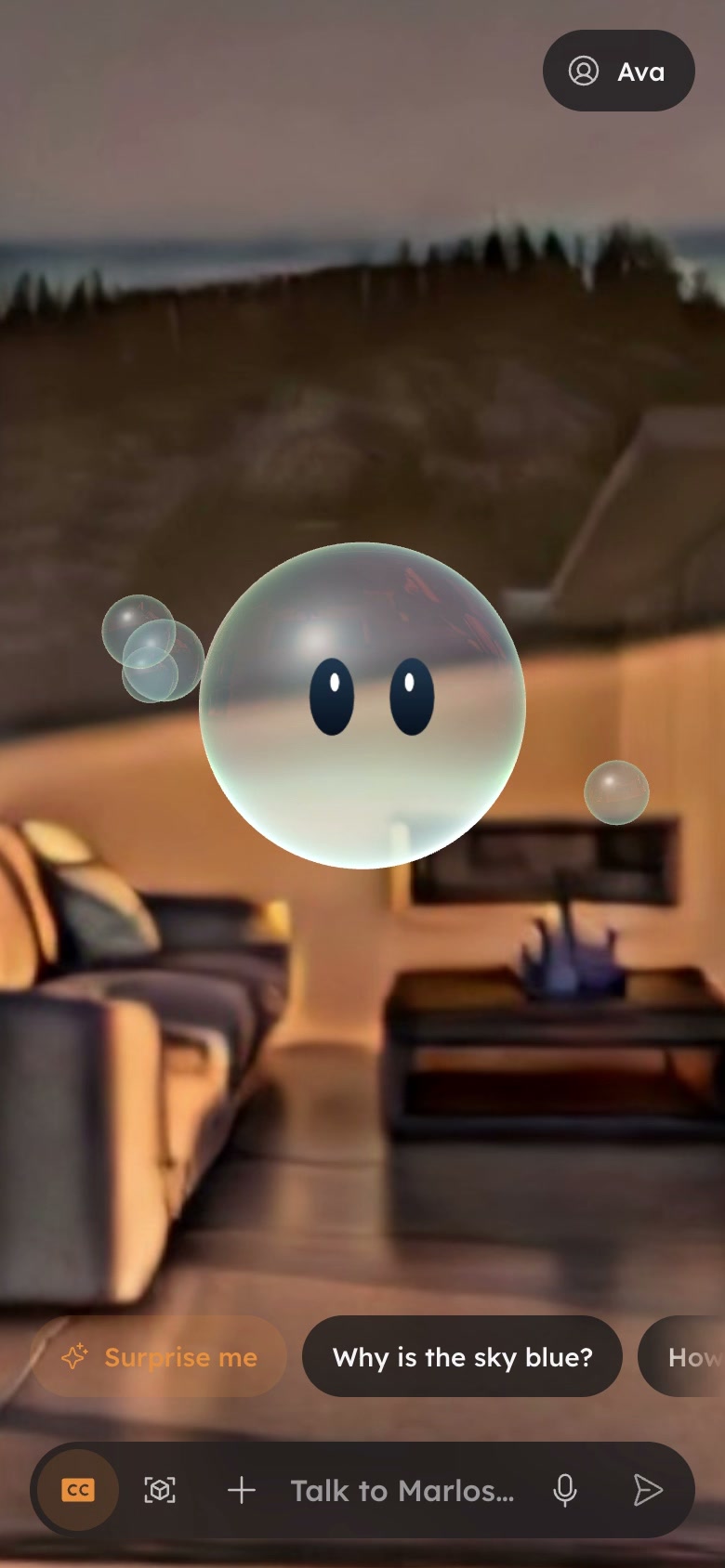
Names, classes and codes in these screens are demo data.
Honest by design
- 01He says he is an AI.
- 02Real pictures, with credits.
- 03The teacher sees every conversation.
In development
The full process
An AR-powered educational platform designed for students, offering interactive, gamified lessons in STEM and the arts. Teachers maintain full control of the curriculum, using customizable lesson plans while the AI assistant, Lumina, guides students through immersive experiences. Students engage with 3D models and simulations, receiving real-time feedback. The platform integrates with existing learning systems and supports accessibility for diverse learning needs. Marlos would partner with organizations like NASA to provide certified, cutting-edge content.
- Project Type
- AR Educational PlatformVision Pro AR AppAR Learning Platform
- Skills
- UX/UI DesignAR Content IntegrationInformation ArchitectureUser Experience TestingAI Development with SDKGamification & Reward SystemsAccessibility ResearchProject Management
- Team
- Kaitlynn A. HawrankeRoberta Reali
In development
What the research covers
- Research landscape
- Engagement sensing and ethics
- Tool vetting
- UI research: learner AI tutors, teacher SaaS, design principles, current UI audit
- Classroom hub
- Dashboards and interaction
- Onboarding and accounts
- Personalisation
- School trial plan
Design rules from the UI research
- 1Two surface levels at most: the 3D room, then one glass panel. Never glass on glass.
- 2Group with space, not boxes. The gap between groups is at least twice the gap inside a group.
- 6Three weights: 400, 500, 600. Body text on glass 500, titles and key terms 600, 400 only for long reading.
- 8Young reader sizes: canvas body at least 18px, transcript at least 16px, nothing under 12px.
- 94.5:1 for text, 3:1 for icons and focus rings, measured against the brightest frame of the room behind the glass.
- 11One icon library, one stroke weight, two sizes, hit areas at least 44px.
- 16The bubble is the only thinking indicator. No spinners elsewhere.
- 20One question per turn, about 80 words at most before a visual or widget.
- 21Never withhold forever: two hints, then a worked example, then a similar problem to try.
- 23Marlos never claims to be a person, to have feelings, or to be the learner's friend.
- 27The student is told, in words, that their teacher can see the conversation, on joining and via a small label while a lesson is live.
- 28Pause and advance are visible Marlos states, never silent lockouts.
Names, classes and codes in these screens are demo data.