Back

Own product, in development

Castweft

A working private prototype that turns a manuscript into a cast, voiced, sound-designed chapter on a Mac, with an iPhone listening app.
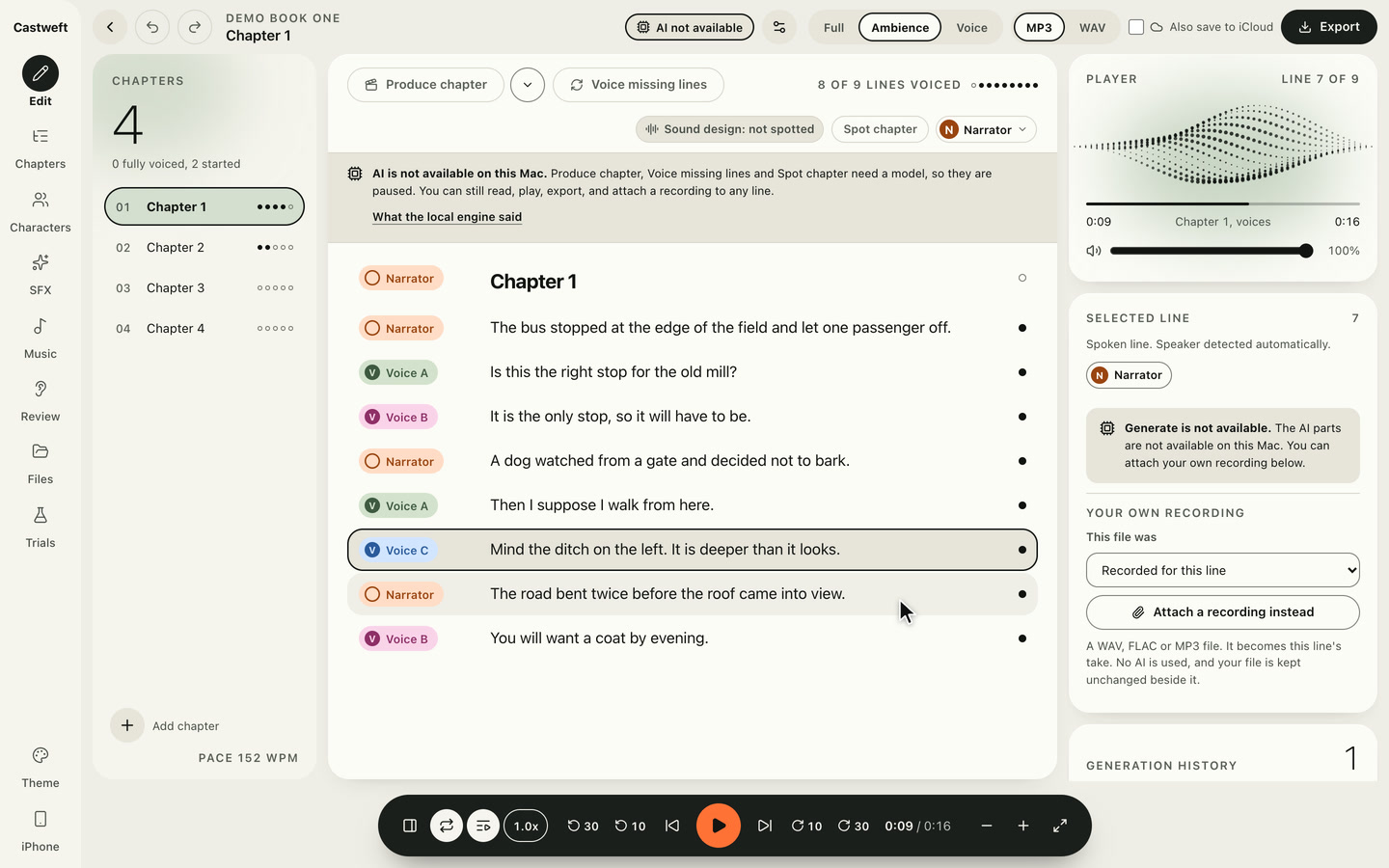
Still of the Castweft Mac app, Edit, Light theme: Chapter 1 of a placeholder book called Demo Book One as a list of lines with speaker marks, one line selected, a chapter list on the left, a player and the selected line on the right, a transport bar along the bottom.
Year
2026
Status
In development
Name
Working name
Project Type
Own product
Skills
UX & UIProduct designBrand designAI training
Platform
Mac appiPhone companion
Built with
Tauri 2, React, TypeScriptSwiftUIPython, FastAPI
Shown
Mac app on demo dataTimeline and iPhone screen in the film are designs

Short read

You make it
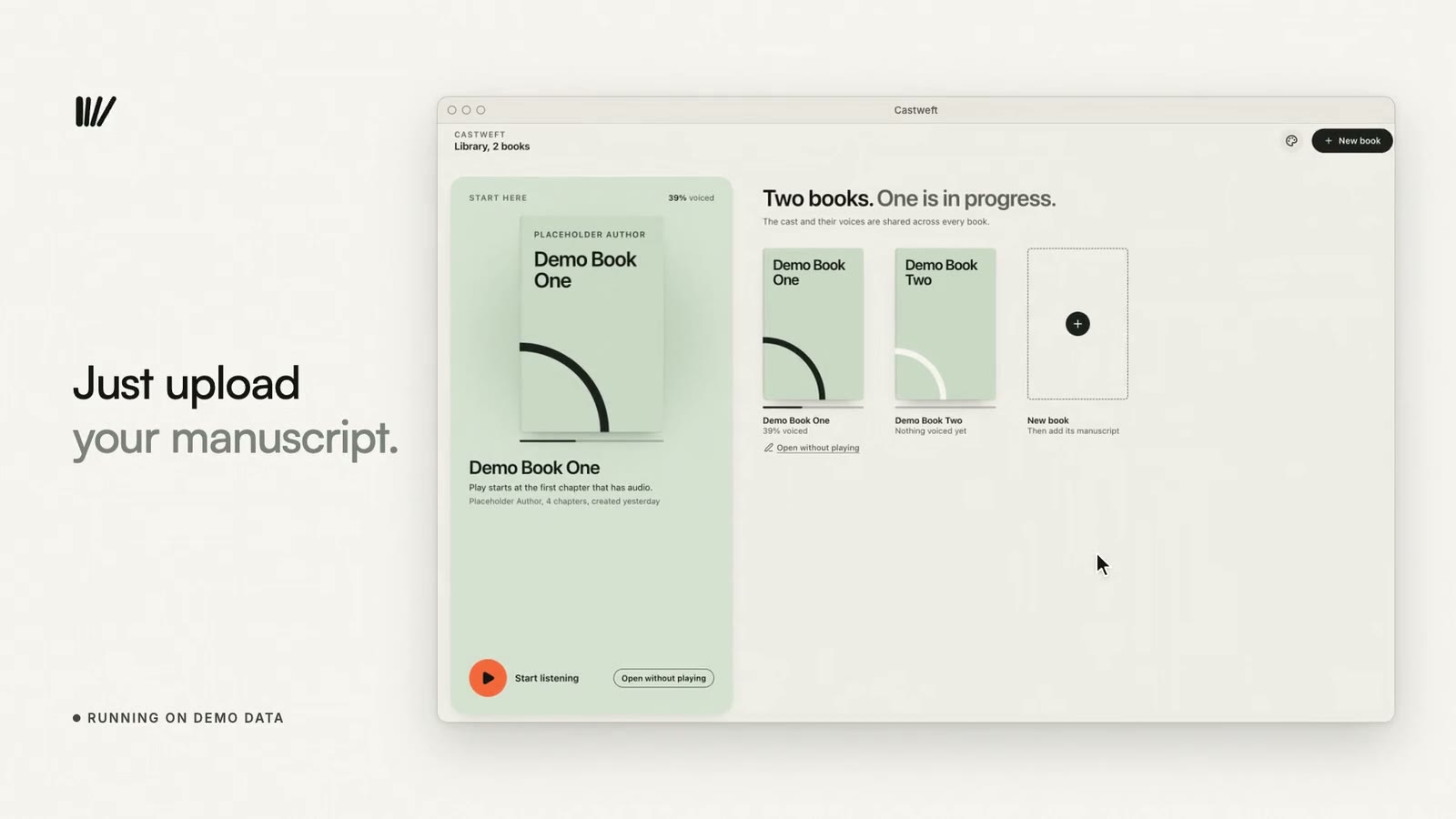
Trailer for Castweft, 47 seconds, no sound. On ivory: the typed line Every story has a sound turns into dots and bars and becomes a mark of four bars, beside the lines You make it, Castweft helps where you want help. Then the Mac app in a window, marked Running on demo data: a library with two placeholder books, a chapter with a speaker on every line, a recording being attached to a line, AI processing being switched off for a book, and a review page that reads 89 percent. On charcoal: a timeline design captioned Timeline, in development, then the Mac window beside an iPhone captioned Companion iPhone app, in private testing. It ends on the mark, the name Castweft, From words to worlds, and the line A private prototype today.
Trailer, Cut A, No sound

Produce chapter

Manuscript import, speaker attribution, voicing, scene and cue spotting, a mix, review and export all exist in code.
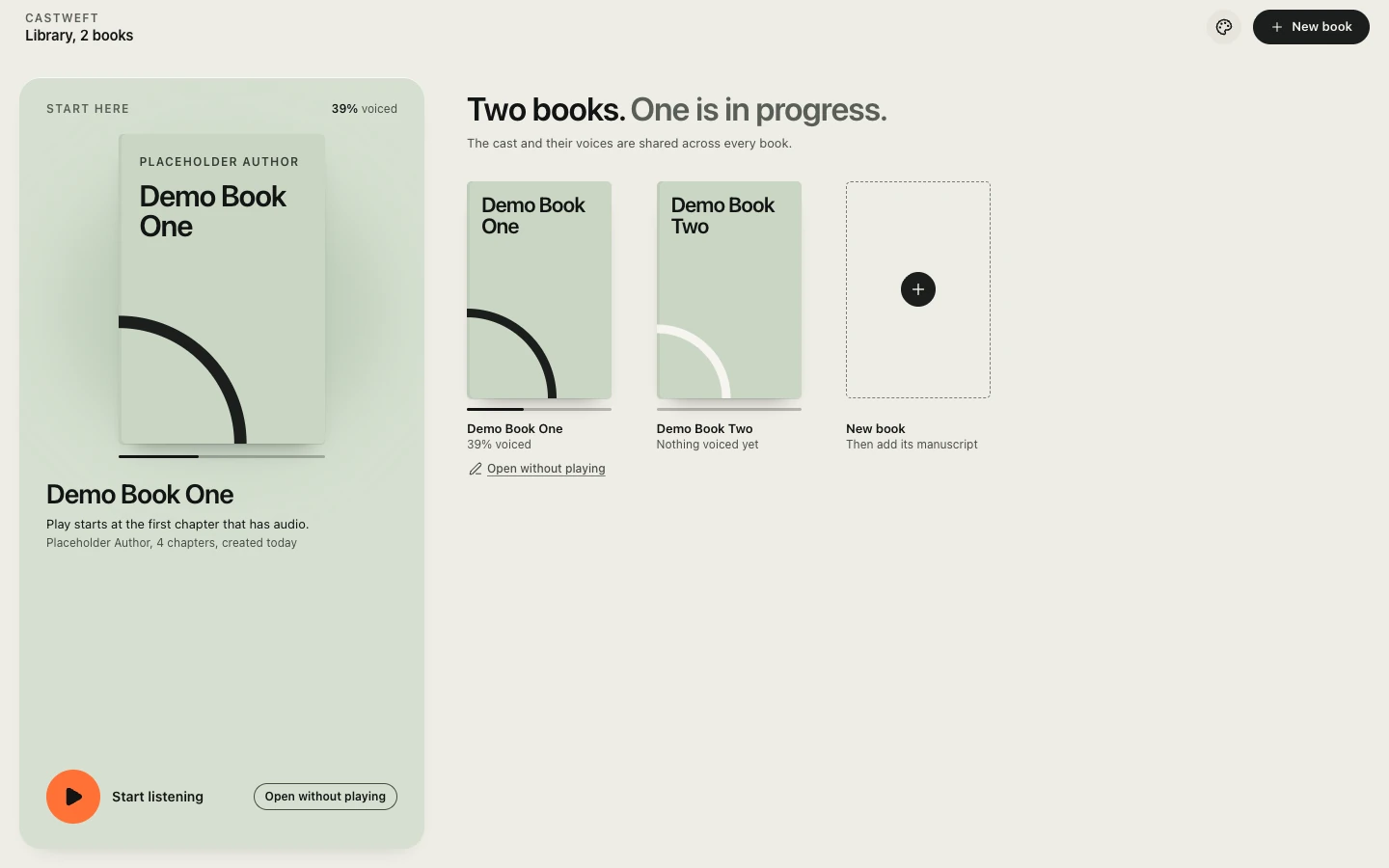
The Library of the Mac app in the Light theme. A tall sage panel holds the cover of Demo Book One, 39 percent voiced, with Start listening and Open without playing. On the right the headline Two books. One is in progress, two drawn covers and a dashed tile New book.
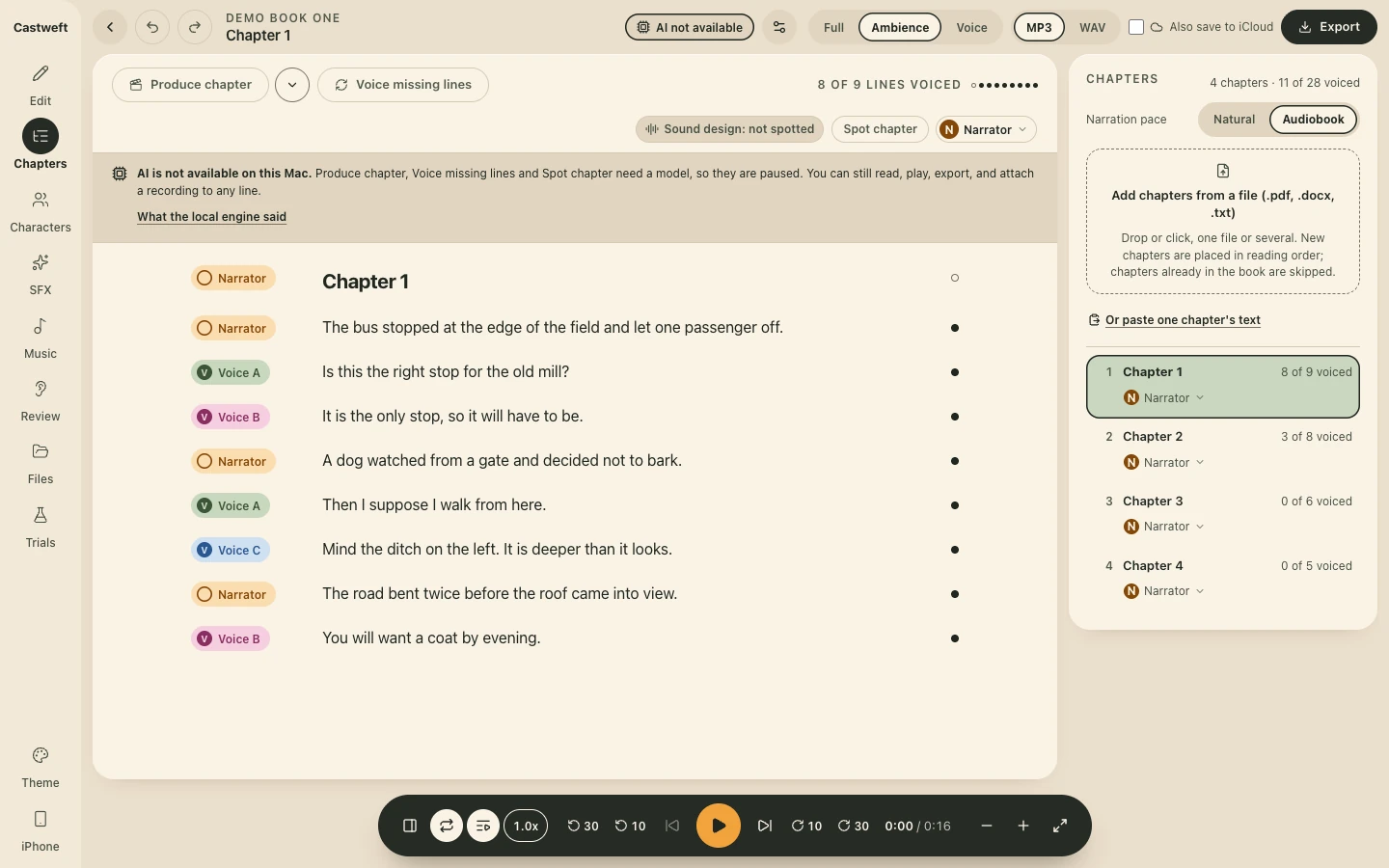
The Chapters page of the Mac app in the Day theme. A rail on the left, the lines of Chapter 1 of a placeholder book in the middle, each with a coloured speaker chip for Narrator, Voice A, Voice B or Voice C. On the right a drop area reads Add chapters from a file, .pdf, .docx, .txt, above four placeholder chapters with their counts of voiced lines. A grey band says AI is not available on this Mac. A dark pill shaped transport with an orange play button sits at the bottom.
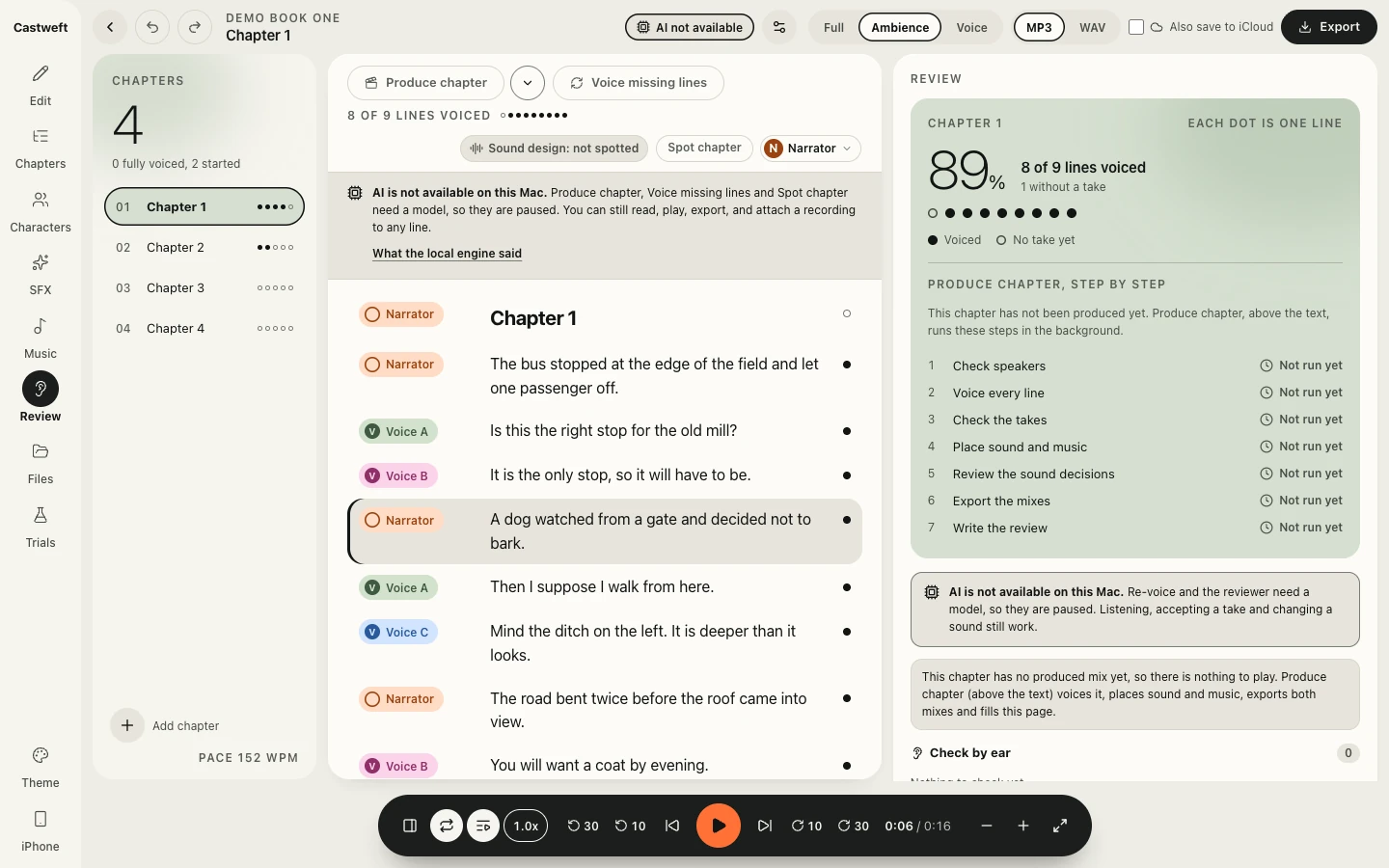
The Review page of the Mac app in the Light theme. A sage panel reads 89 percent, 8 of 9 lines voiced, 1 without a take, with one dot per line. Below it the list Produce chapter, step by step: Check speakers, Voice every line, Check the takes, Place sound and music, Review the sound decisions, Export the mixes, Write the review, each marked Not run yet. A note says the chapter has no produced mix yet.

Step 1 / 3 Library

Light, Dark, Day
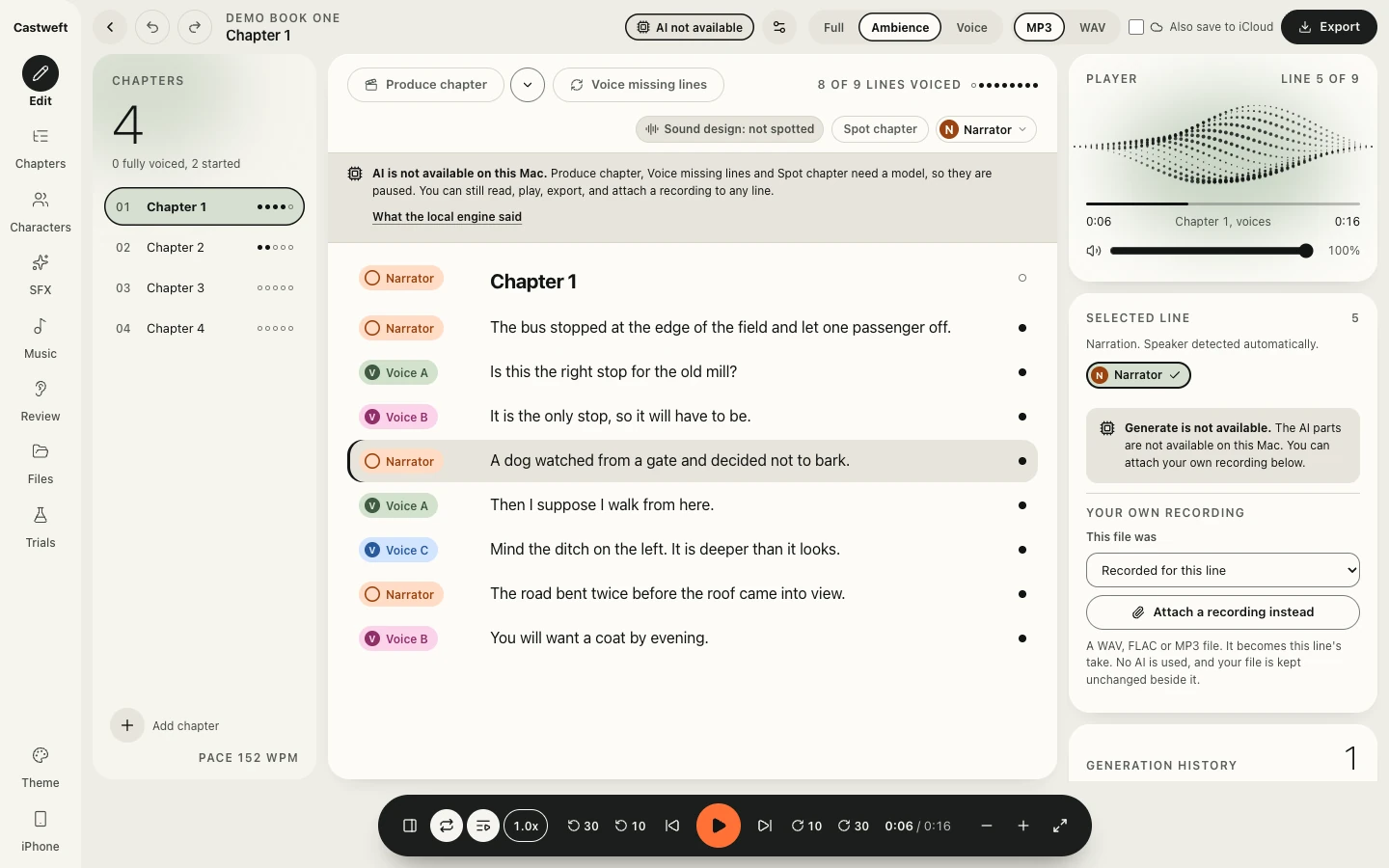
The same Edit screen after the restyle, Light theme. A rail with the word Castweft, a chapter list with a large numeral 4 and progress dots, the lines of Chapter 1 with coloured speaker chips for Narrator, Voice A, Voice B and Voice C, and on the right a player card with a dotted wave, the selected line and a button Attach a recording instead. A dark pill shaped transport with an orange play button at the bottom.
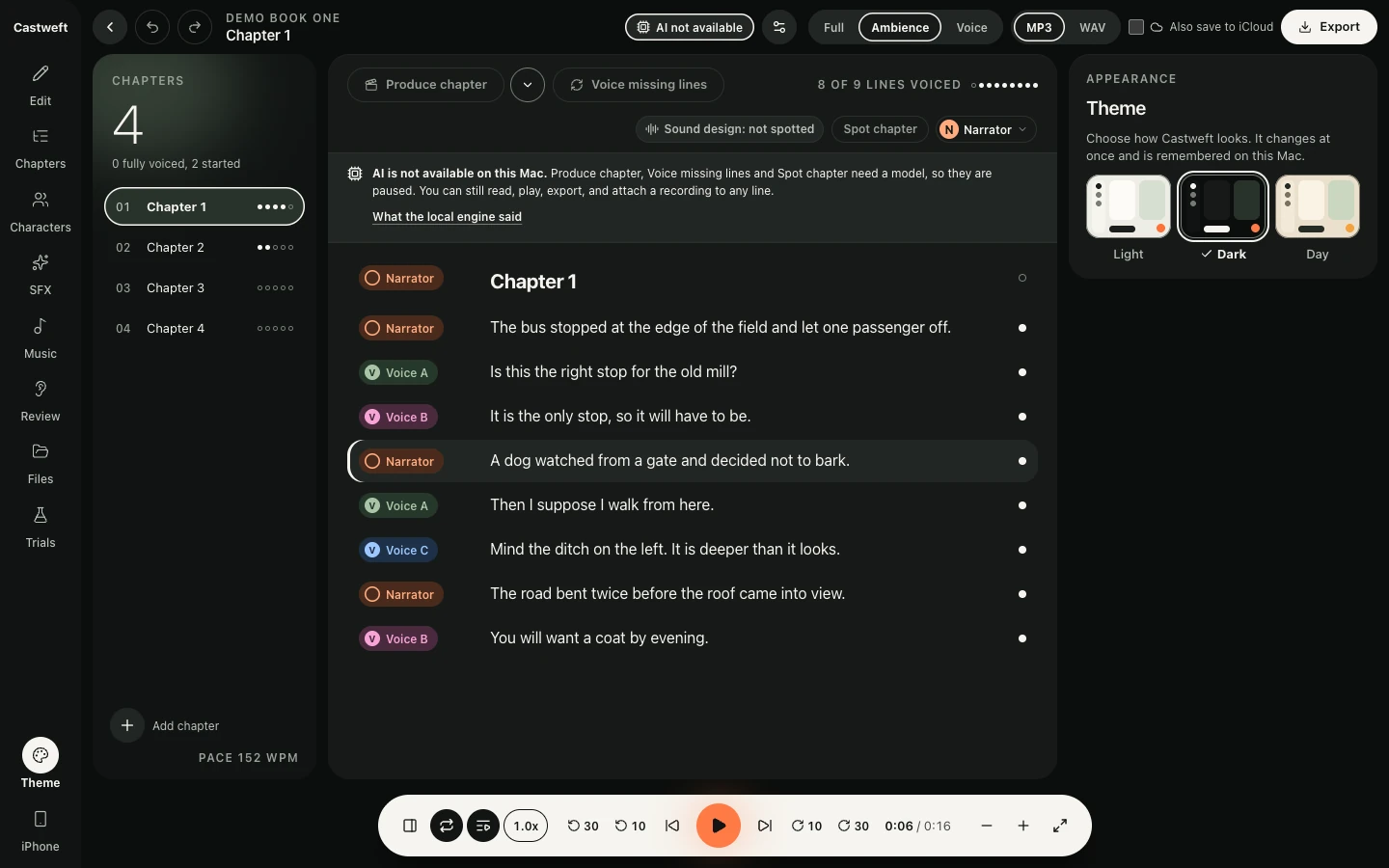
The Appearance panel of the Mac app in the Dark theme. Under the heading Theme and the line Choose how Castweft looks, three small previews labelled Light, Dark and Day, with Dark ticked. Beside it the lines of Chapter 1 of a placeholder book on a near black ground, each with a coloured speaker chip.
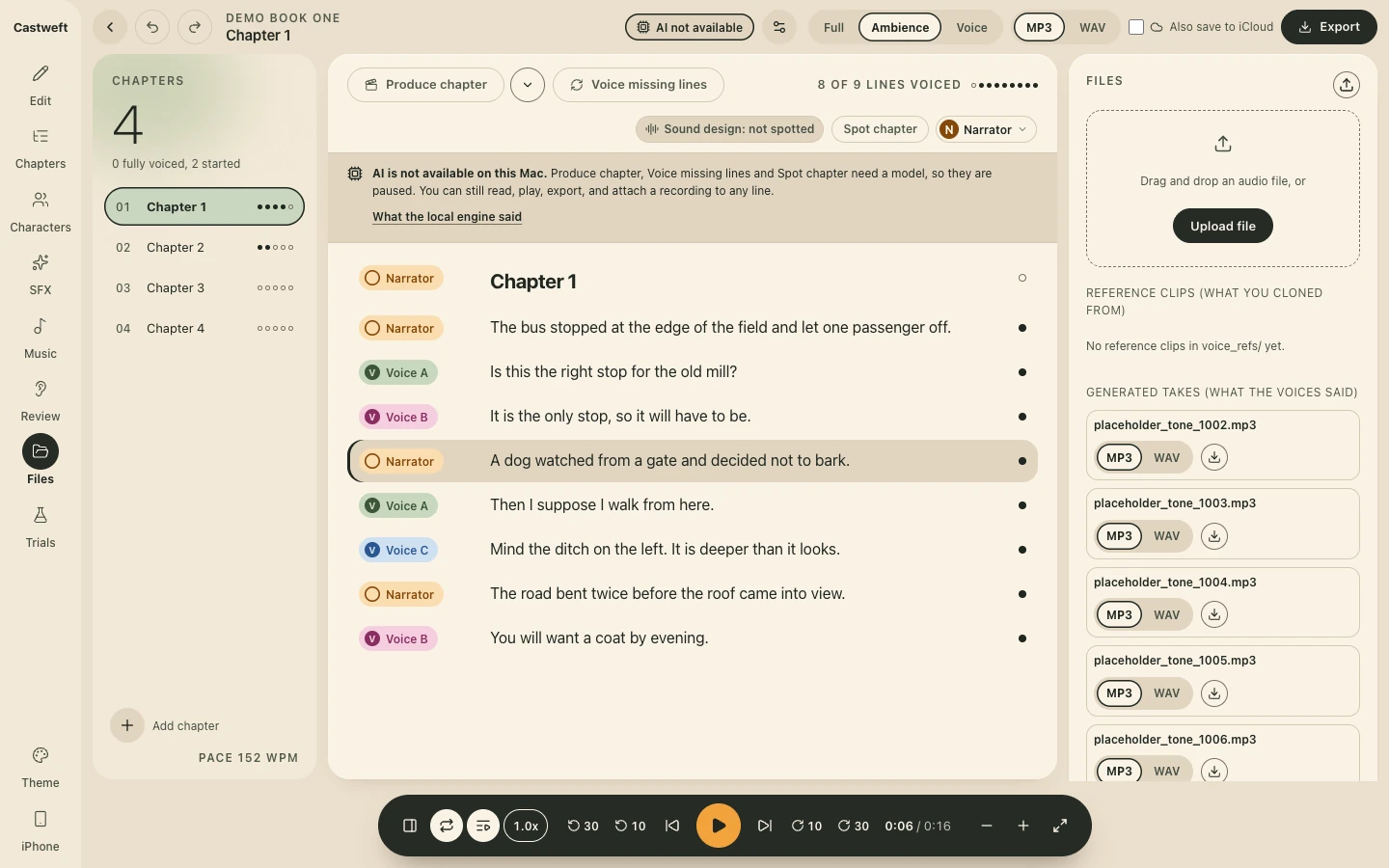
The Files panel of the Mac app in the Day theme, beside the lines of Chapter 1 of a placeholder book: an upload area and a list of generated takes named placeholder tone with a number.

Step 1 / 3 Light

Connect to Your Mac

Voice Studio on your Mac does the voicing. This iPhone plays your books, downloads chapters for later, and can ask the Mac to voice new lines.
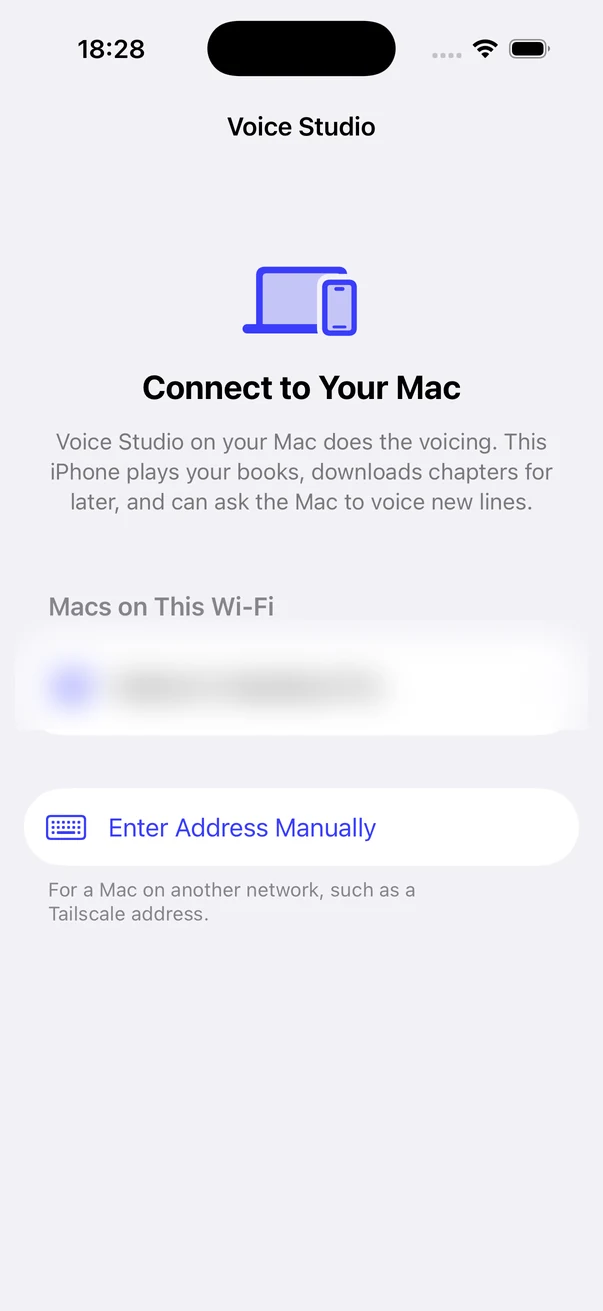
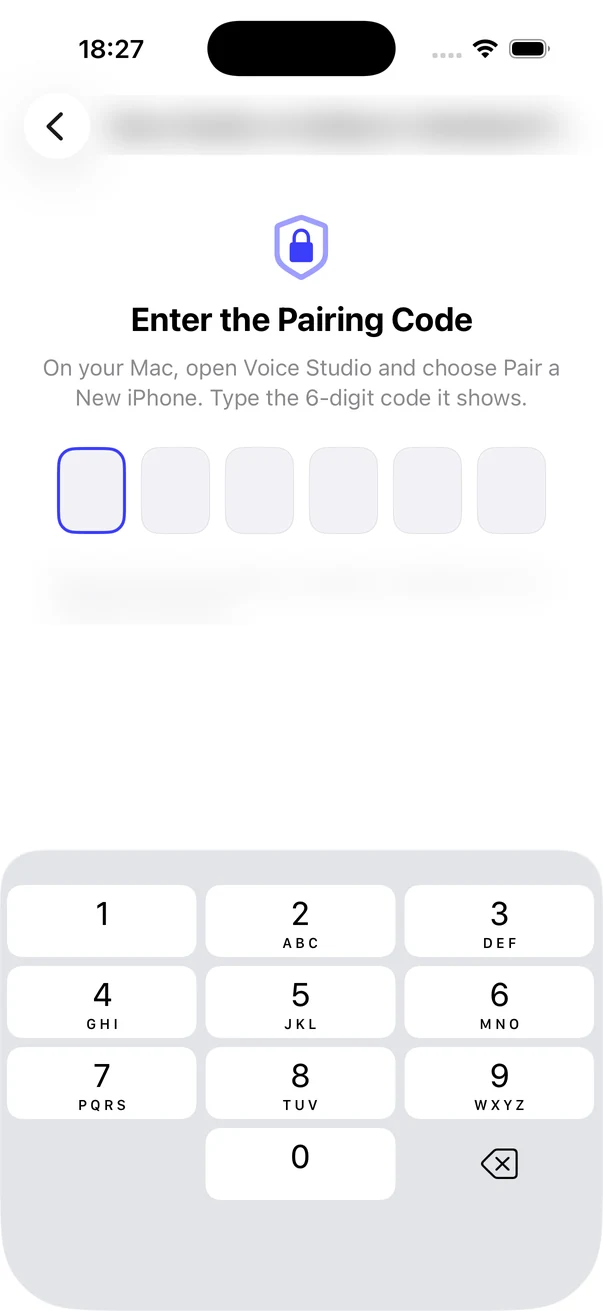
iPhone screen titled Voice Studio. An icon of a laptop and a phone, the heading Connect to Your Mac and two lines of text. Under Macs on This Wi-Fi one row that is blurred, then a row Enter Address Manually.
Pairing, iPhone app
iPhone screen with a lock icon and the heading Enter the Pairing Code. Six empty boxes for a six digit code and a number pad. The title line and one small line under the boxes are blurred.
Pairing code, iPhone app
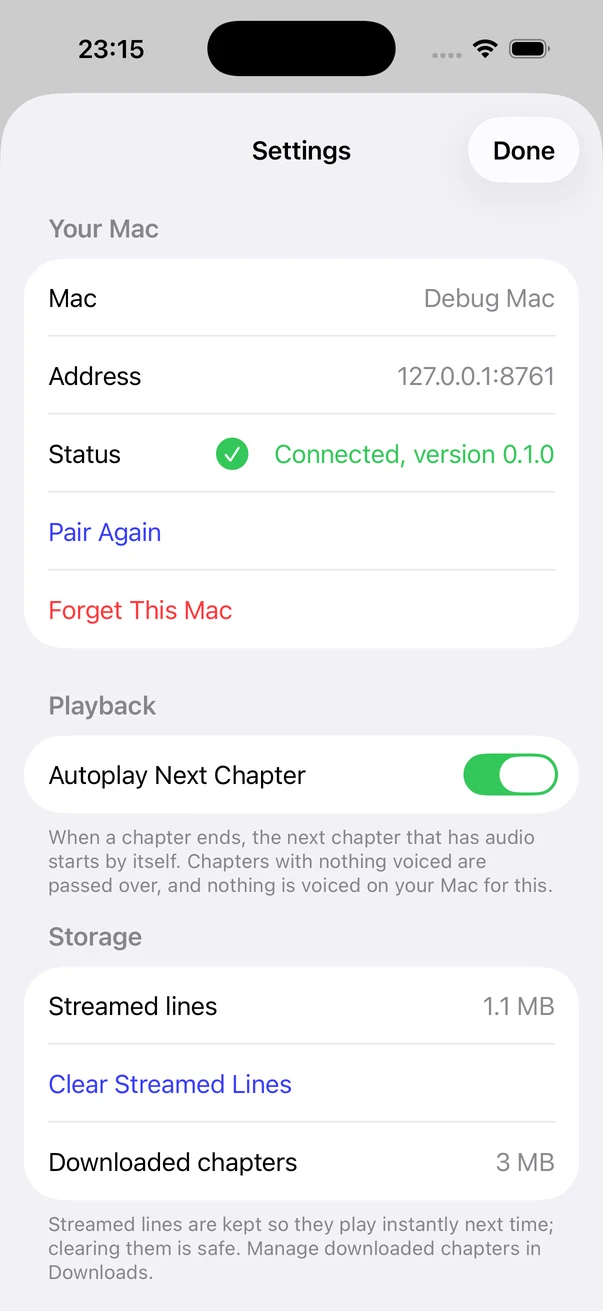
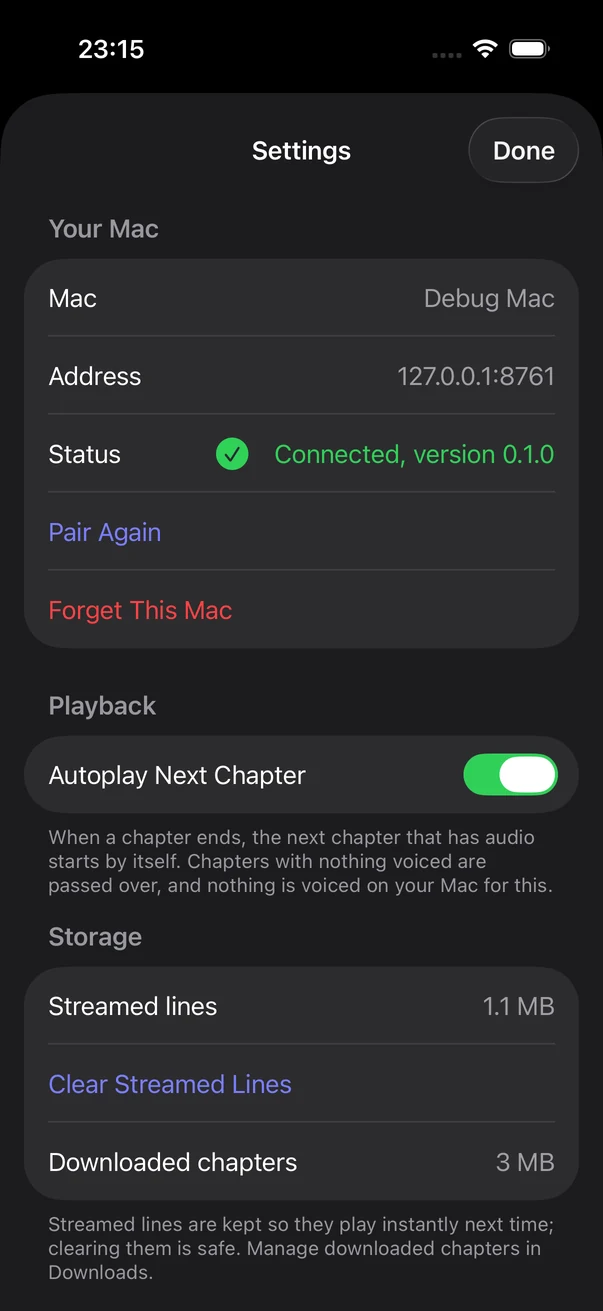
iPhone Settings sheet in the light look. Your Mac: Mac, Debug Mac. Address, a local test address. Status, Connected, version 0.1.0. Pair Again and Forget This Mac. Playback: Autoplay Next Chapter, switched on. Storage: Streamed lines and Downloaded chapters with their sizes, and Clear Streamed Lines.
Settings, iPhone app

Simulator. Device name and address blurred.

Constraint and reflection

Constraint

“Needs to run offline, no API costs (you need a beefy computer to run it).”

Kait, 11 October 2026

Reflection

“Curiosity based learning is amazing and the product actually works.”

Kait, 11 October 2026

In development

The full process

The app before and after the restyle of 9 October 2026, same screen, same invented library.
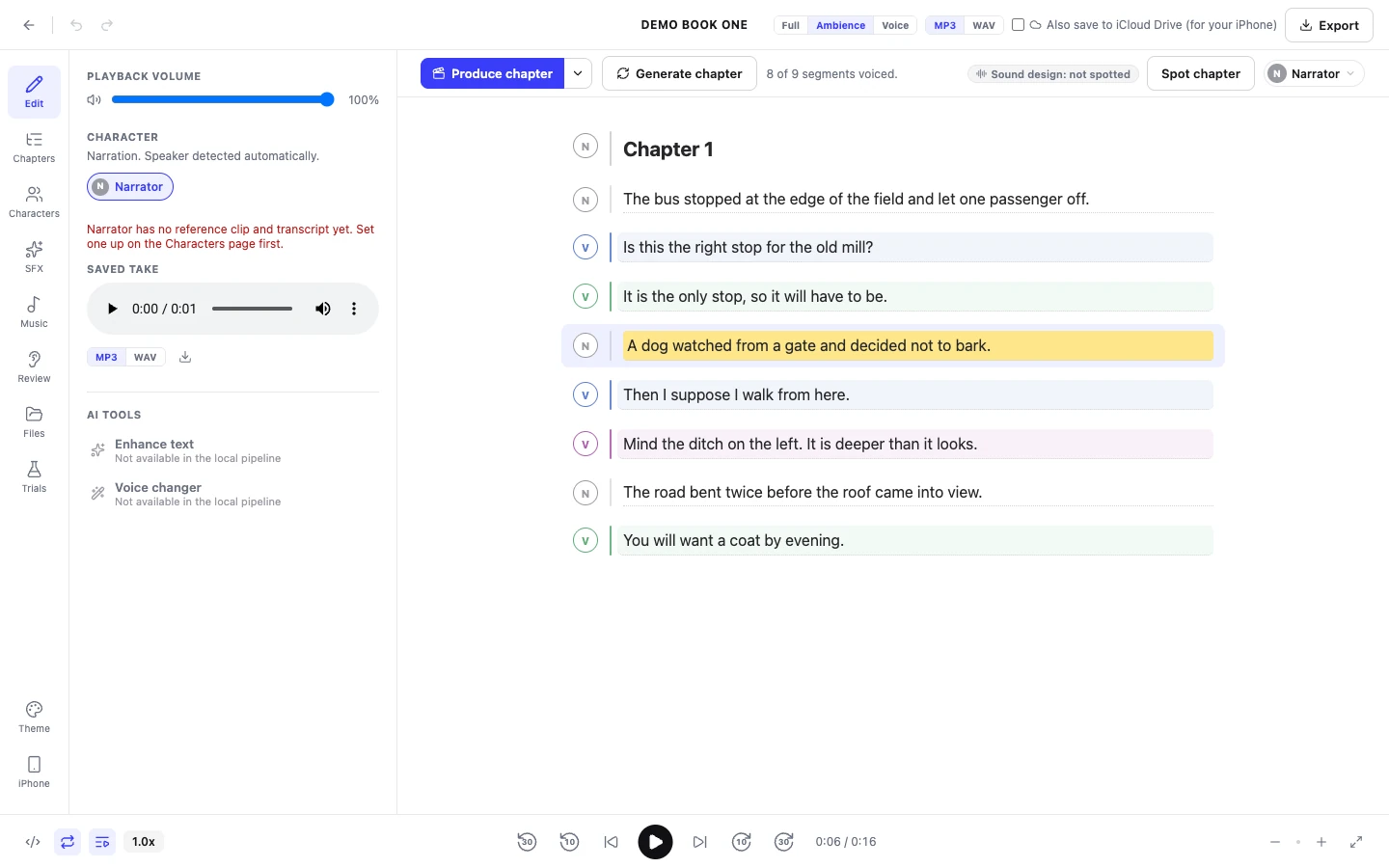
The Edit screen of the Mac app before the restyle, Light theme. A thin icon rail, a side panel with playback volume, the character of the selected line and a saved take, and the lines of Chapter 1 of a placeholder book on white, each with a small round speaker letter, one line highlighted in yellow. A blue button Produce chapter above, a plain transport row below.
Edit, before the restyle, 9 October 2026, Mac app
The same Edit screen after the restyle, Light theme. A rail with the word Castweft, a chapter list with a large numeral 4 and progress dots, the lines of Chapter 1 with coloured speaker chips for Narrator, Voice A, Voice B and Voice C, and on the right a player card with a dotted wave, the selected line and a button Attach a recording instead. A dark pill shaped transport with an orange play button at the bottom.
Edit, after the restyle, 9 October 2026, Mac app
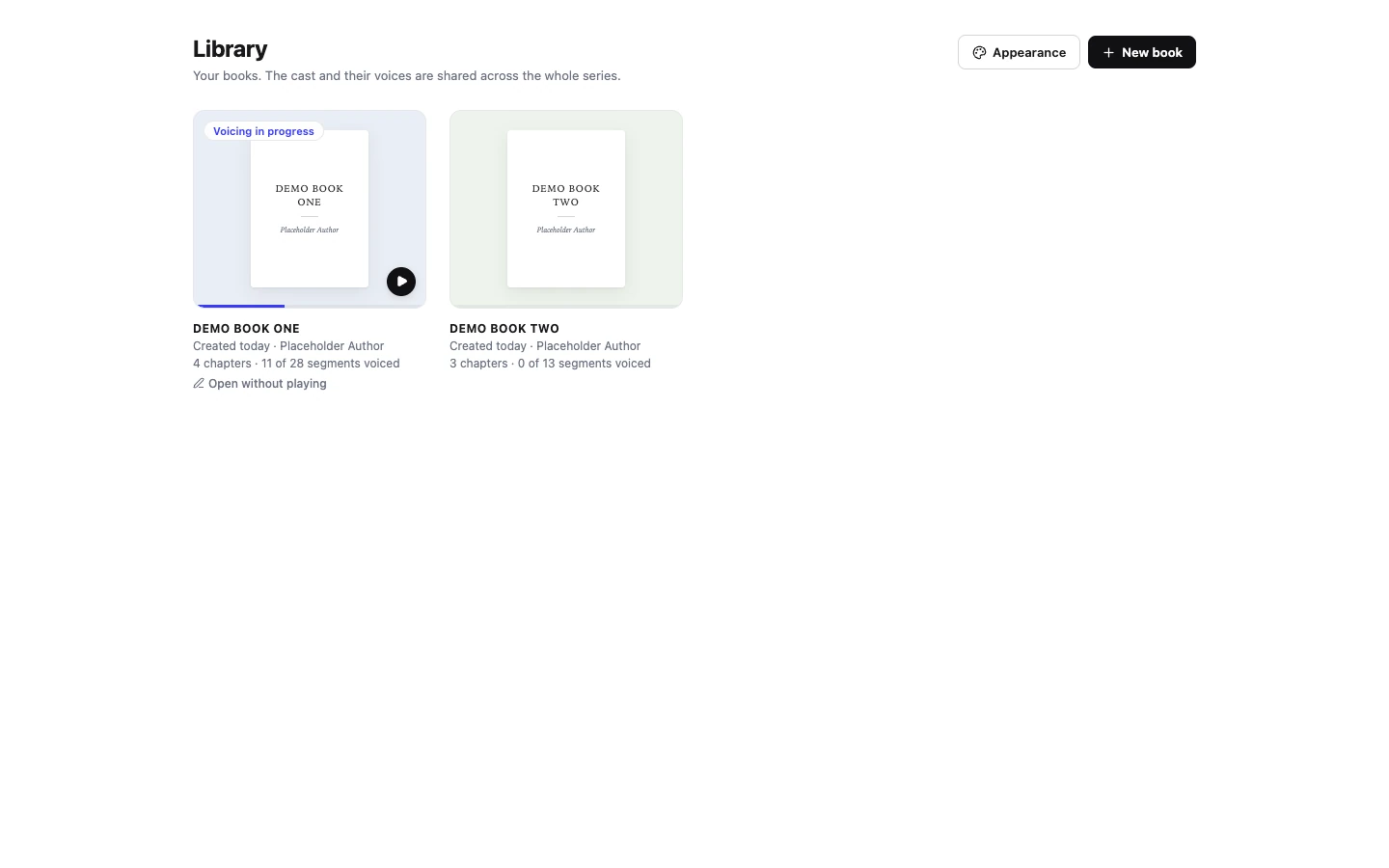
The Library of the Mac app before the restyle, Light theme. Two placeholder books drawn as plain white covers, Demo Book One and Demo Book Two by Placeholder Author, each with its number of chapters and voiced segments. Top right the buttons Appearance and New book.
Library, before the restyle, 9 October 2026, Mac app
The Library after the restyle, Light theme. A tall sage panel on the left holds the cover of Demo Book One, 39 percent voiced, with an orange play button, Start listening and Open without playing. On the right the headline Two books. One is in progress, two drawn covers in sage standing on their progress bars, and a dashed tile New book.
Library, after the restyle, 9 October 2026, Mac app

The concept sheets, round 1 to version 2 to version 2.1. Concepts with placeholder content, not the running app.
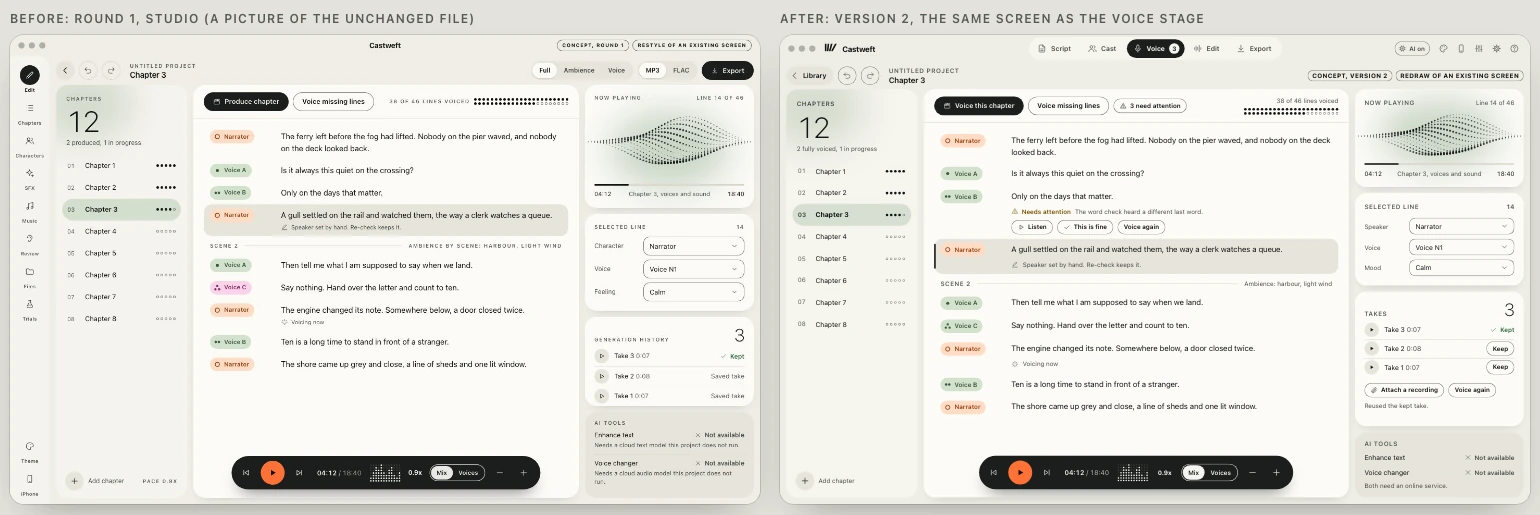
Two concept frames side by side from the version 2 sheet. Left, labelled Before: round 1, Studio: an icon rail on the far left, a chapter list, lines with speaker chips, a player card and a dark transport pill. Right, labelled After: version 2, the same screen as the Voice stage: the icon rail is gone, a switcher at the top reads Script, Cast, Voice, Edit, Export with Voice selected, and the rest of the layout is kept.
UI concepts, round 1 and version 2, 9 October 2026
A panel from the version 2.1 sheet, headed Kait's note on version 2: we still need to work on the UI and padding. A table, Measured on all 13 screens, compares version 2 and version 2.1 in fourteen rows, among them: distinct spacing values in use 29 and 9, declarations off the scale 345 and 0, screens with uneven outer margins 13 and 0, edges that miss a shared line 7 and 0.
Spacing pass, measured, UI concepts, version 2.1, 10 October 2026
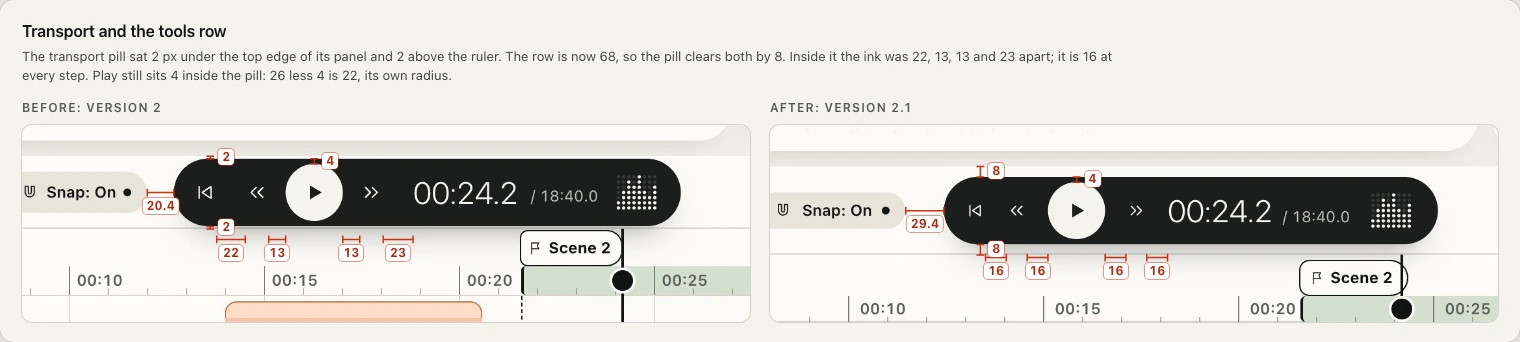
A panel headed Transport and the tools row with two enlarged details of a dark transport pill showing play, the time 00:24.2 and a Snap switch. Left, Before: version 2, with red measuring marks reading 2, 4, 22, 13, 13 and 23. Right, After: version 2.1, the same pill with marks reading 8, 4, 8 and four times 16.
Transport, version 2 and version 2.1, UI concepts, 10 October 2026

Brand foundations, draft 1, 9 October 2026. Colours and fonts are proposals.

A panel labelled Brand idea. Headline: Castweft turns written stories into sound. Below it: It is a creative audio studio where voices, music and sound are woven around the text, with AI as help you can take or leave. The brand should feel like sound taking shape: round, warm and calm, with one thing moving. A small note says the direction is planned, not shipped, so this is a brand idea and not website copy.
Brand idea, Brand foundations, draft
A panel titled Five positions, taken from her sliders. Five scales with a dot on each: Serious to Optimistic, dot towards Optimistic. Classic to Futuristic, an orange dot near Futuristic. Supportive to Authoritative, dot towards Supportive. Trustworthy to Unknown, dot near Trustworthy. Tech driven to Human focused, dot just past the middle.
Personality, Brand foundations, draft
A panel labelled Voice and tone. Headline: Plain, warm, exact. The story is the hero and the tool stays quiet. Four short rules below: Say what is real, One idea per line, Talk to an author, Calm when it breaks, each with one line of explanation.
Voice and tone, Brand foundations, draft
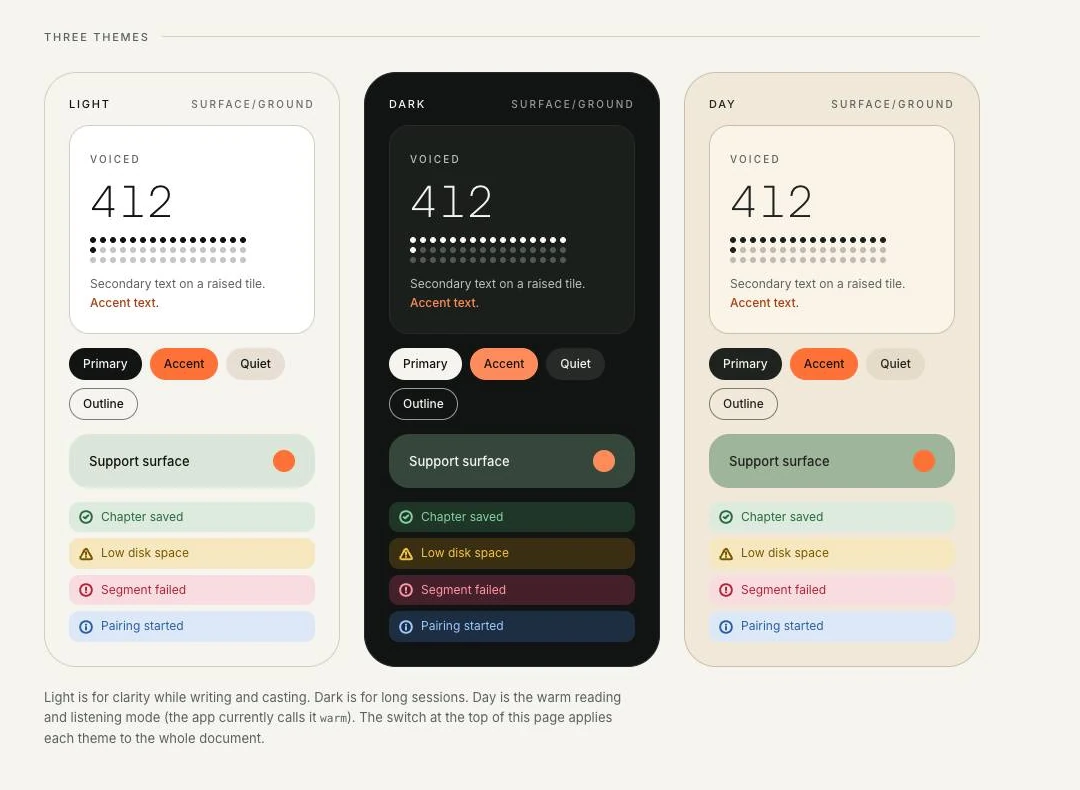
Three sample panels under the label Three themes: Light, Dark and Day. Each shows a tile with a sample number, four button styles named Primary, Accent, Quiet and Outline, a support surface, and four status rows: Chapter saved, Low disk space, Segment failed, Pairing started. A note below says Day is the warm mode the app currently calls warm.
Three themes, Brand foundations, draft

Logo: explorations of 9 October 2026, then the kit, v0.1. A direction, not trademark cleared, not signed off as final.

Six black marks in a row on an off white ground: a ring with a small blob attached, two joined blobs with a notch, a circle of dots of growing size, a square spiral of four rounded bars, a blob with a tail, and a round cluster of dots.
Exploration, round 1
Four black marks, each beside a tiny copy of itself: upright bars of different heights between two tall bars, a rounded square split by a wavy gap, four bars hanging at different lengths, and four bars that lean further and further to the right.
Round 2, book and sound
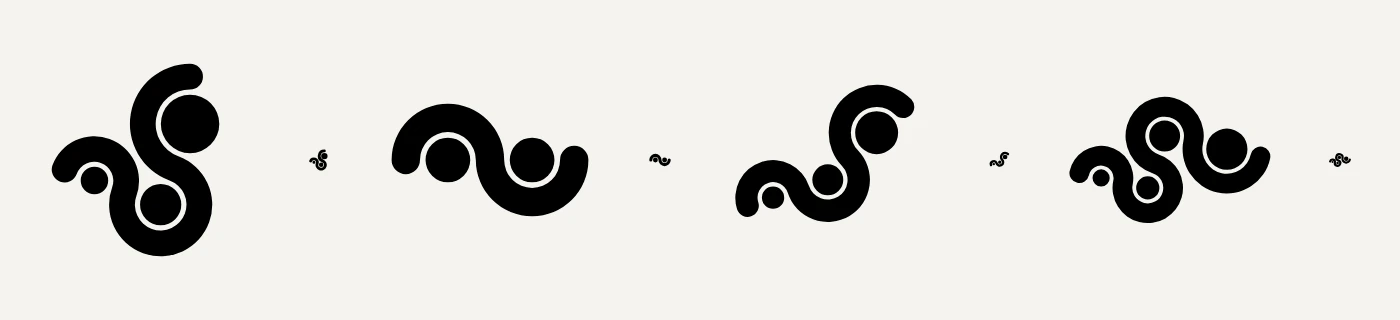
Four black marks, each beside a tiny copy of itself, all drawn as one thick curling line that loops around two or three dots.
Round 2, weave
Four black marks, each beside a tiny copy of itself: three comma shapes growing in size, a large circle with a small one nested at its edge, three upright bars with dots above them, and a three armed shape like a turning figure.
Round 2, cast
A black mark on an off white ground: one thick upright bar with rounded ends, and three thinner bars beside it that lean further and further to the right, like pages fanning away from a cover.
Refinement round 1, draft
Logo sting, 6 seconds, no sound. On charcoal, the bars of the mark fan open, the word Castweft slides out beside them, and the line From words to worlds is typed underneath with an orange full stop.
Logo sting, Film, No sound

Captures of the running app with an invented library: placeholder books, placeholder lines, test tones in place of takes. The Characters screen is left out.
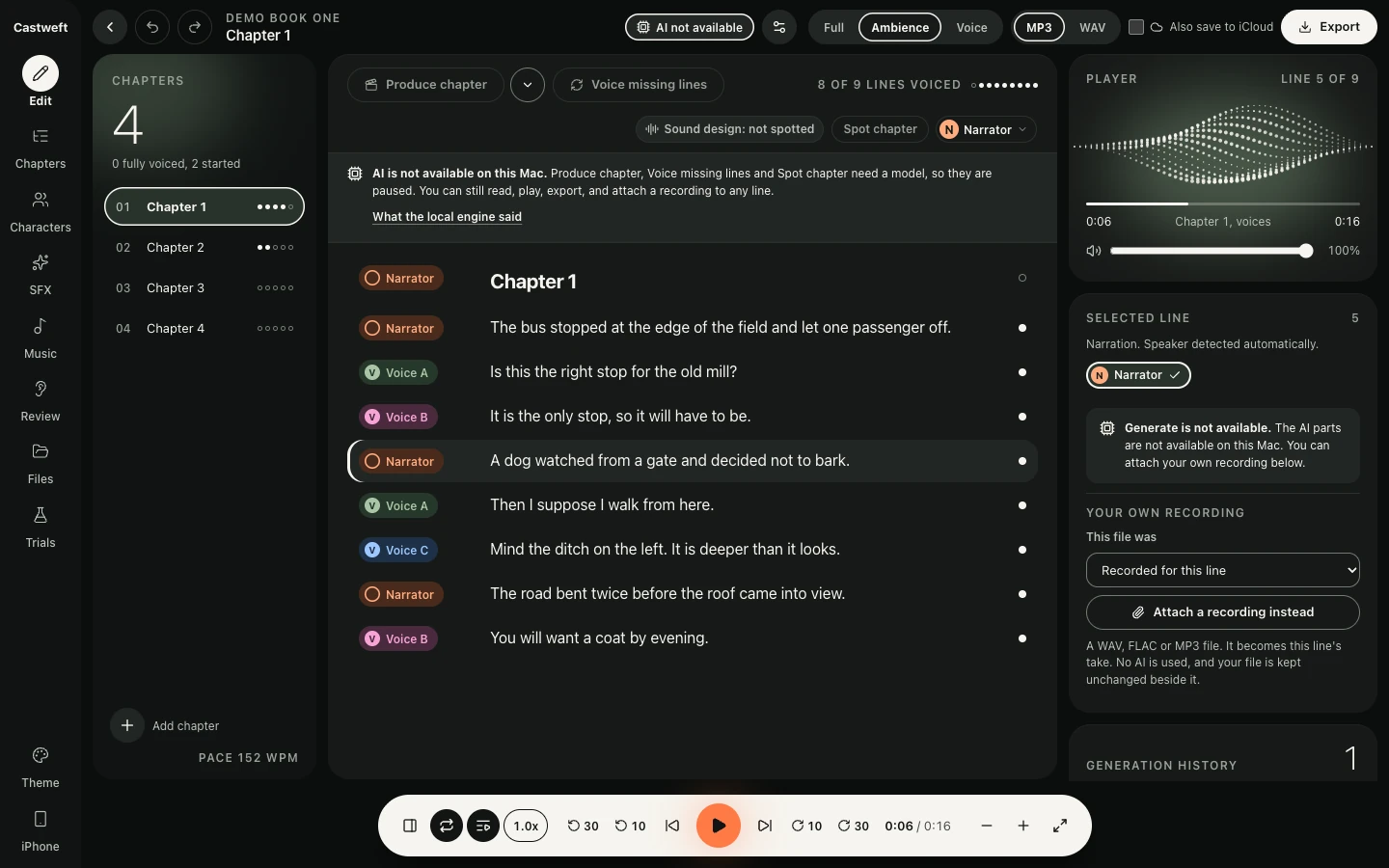
The Library of the Mac app in the Light theme. A tall sage panel holds the cover of Demo Book One, 39 percent voiced, with Start listening and Open without playing. On the right the headline Two books. One is in progress, two drawn covers and a dashed tile New book.
Library, Light theme, Mac app
The Edit screen of the Mac app in the Dark theme: the rail, a chapter list with progress dots, the lines of Chapter 1 of a placeholder book with coloured speaker chips and one line selected, and a player card with a dotted wave on the right.
Edit, Dark theme, Mac app
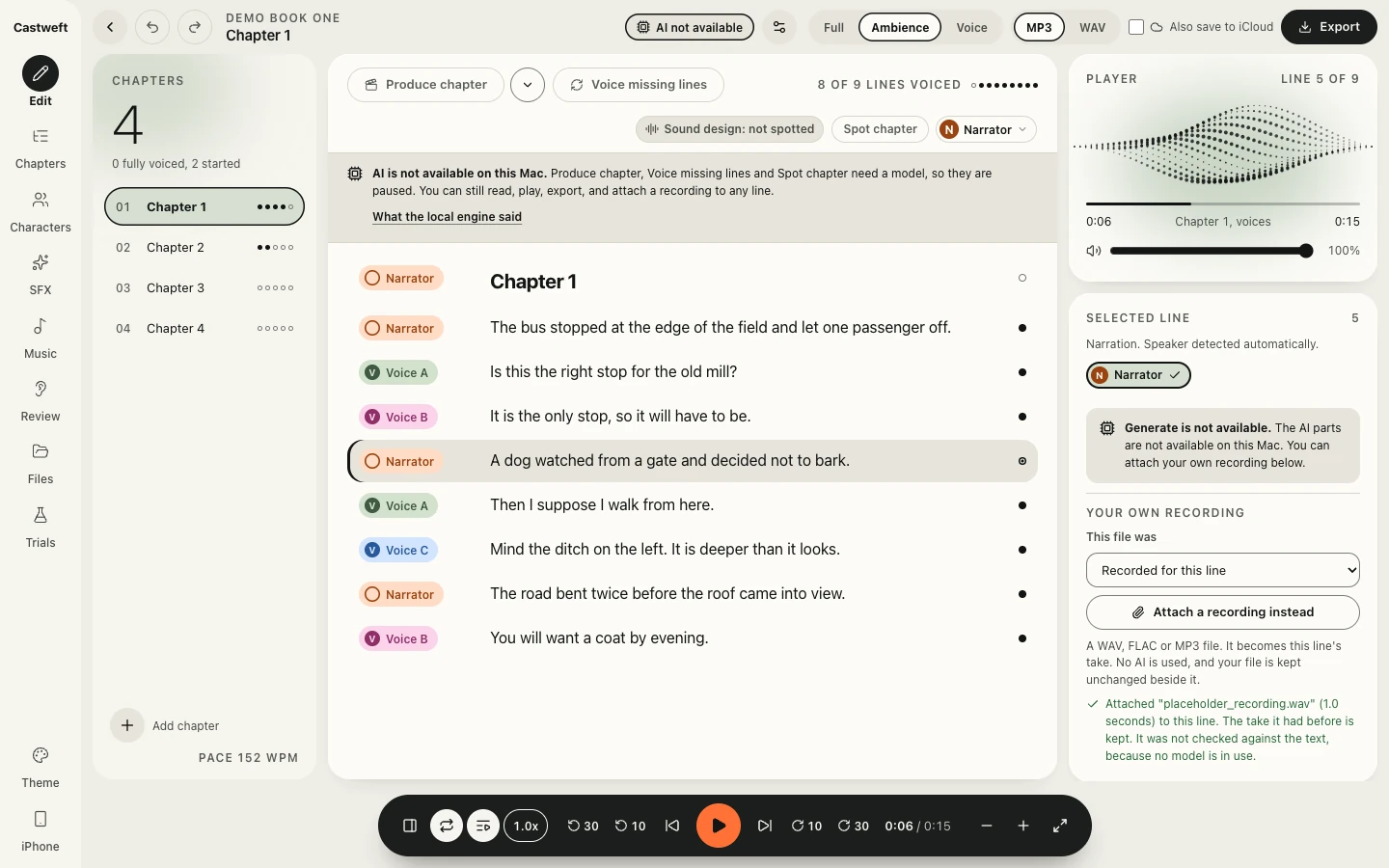
The Edit screen in the Light theme with the Selected line card open. Under Your own recording a menu reads Recorded for this line and a button Attach a recording instead. A green note says a file named placeholder_recording.wav, 1.0 seconds, was attached to this line, that the earlier take is kept, and that it was not checked against the text because no model is in use.
A recording attached to a line, Light theme, Mac app
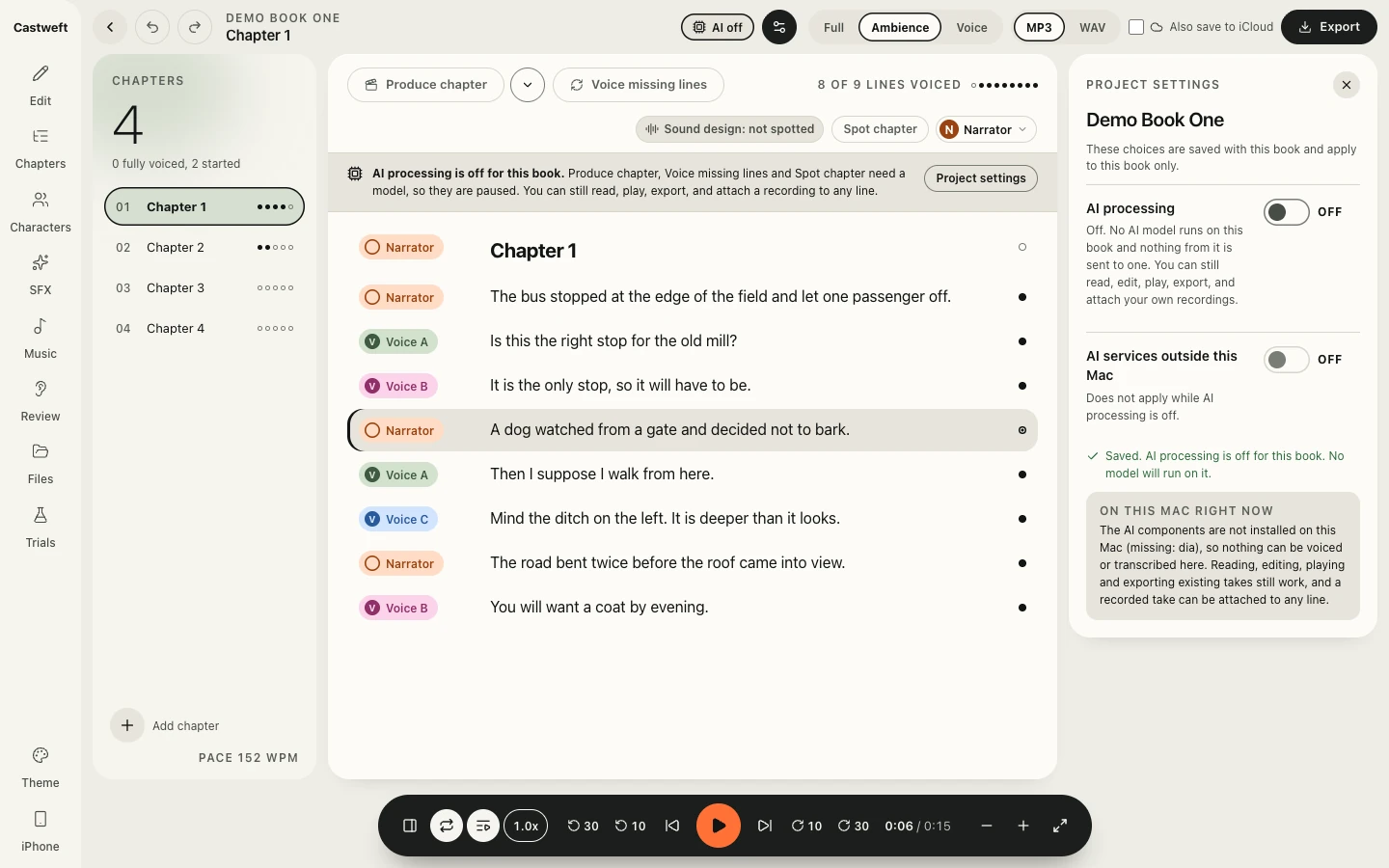
The Project settings panel for Demo Book One in the Day theme. Two switches, AI processing and AI services outside this Mac, both off. A note says Saved. AI processing is off for this book. No model will run on it. The chip in the top bar reads AI off.
AI processing switched off for a book, Day theme, Mac app
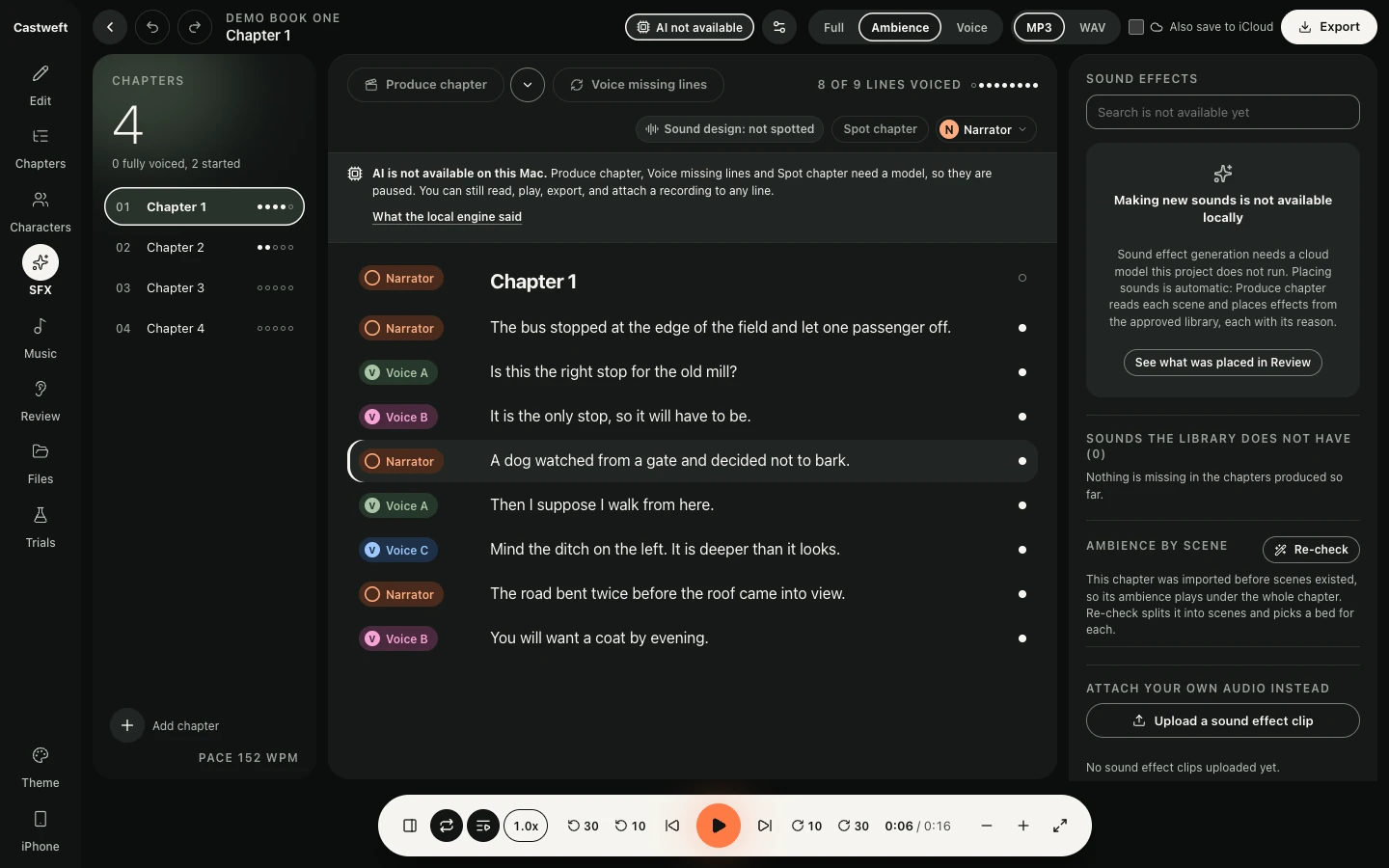
The Sound effects panel of the Mac app in the Dark theme. A search field that says search is not available yet, a note that making new sounds is not available locally, a button See what was placed in Review, a section Ambience by scene with a Re-check button, and a button Upload a sound effect clip.
SFX, Dark theme, Mac app
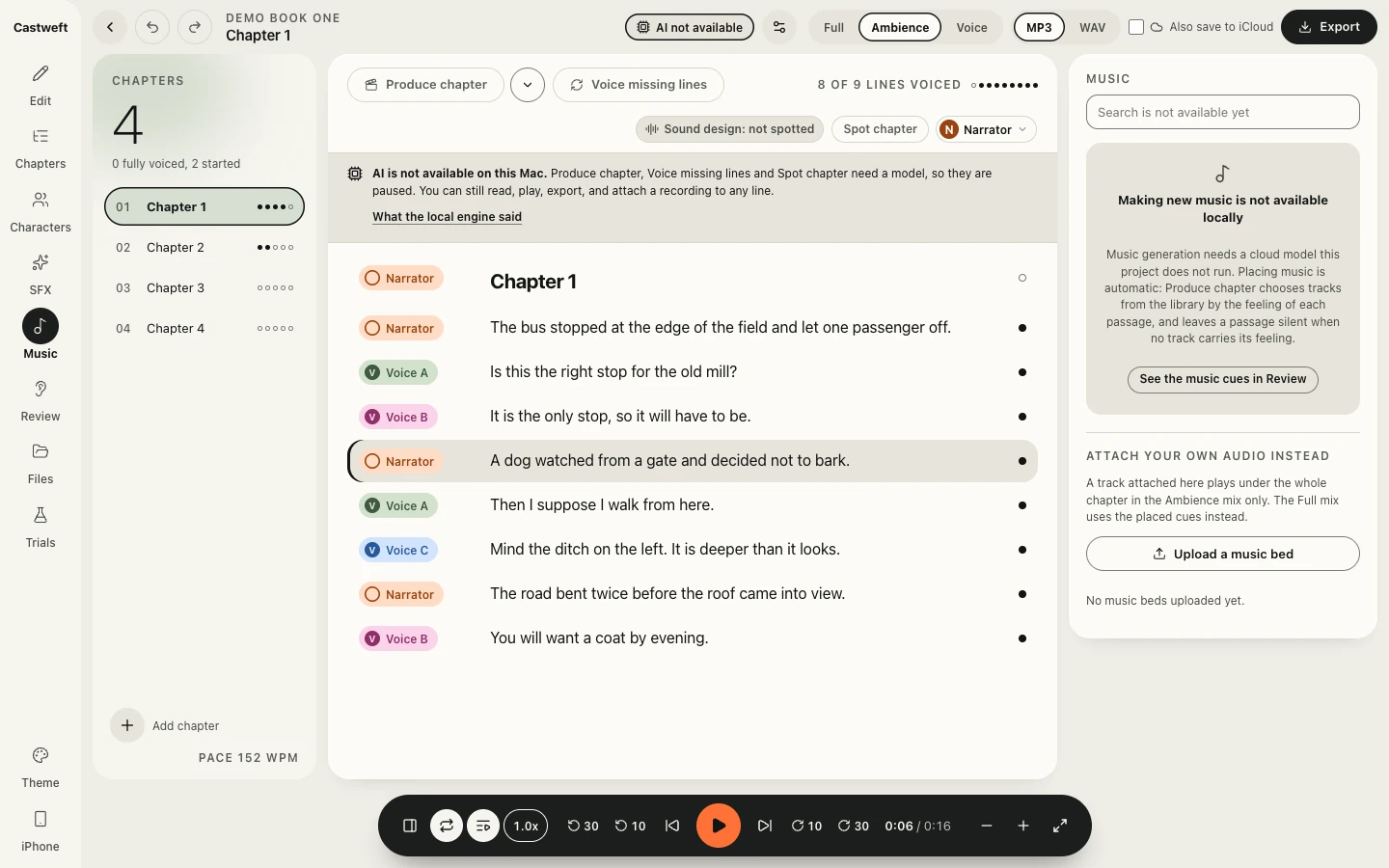
The Music panel of the Mac app in the Light theme, beside the lines of Chapter 1 of a placeholder book. The panel says that making new music is not available locally and offers to upload a music bed.
Music, Light theme, Mac app
The Files panel of the Mac app in the Day theme, beside the lines of Chapter 1 of a placeholder book: an upload area and a list of generated takes named placeholder tone with a number.
Files, Day theme, Mac app
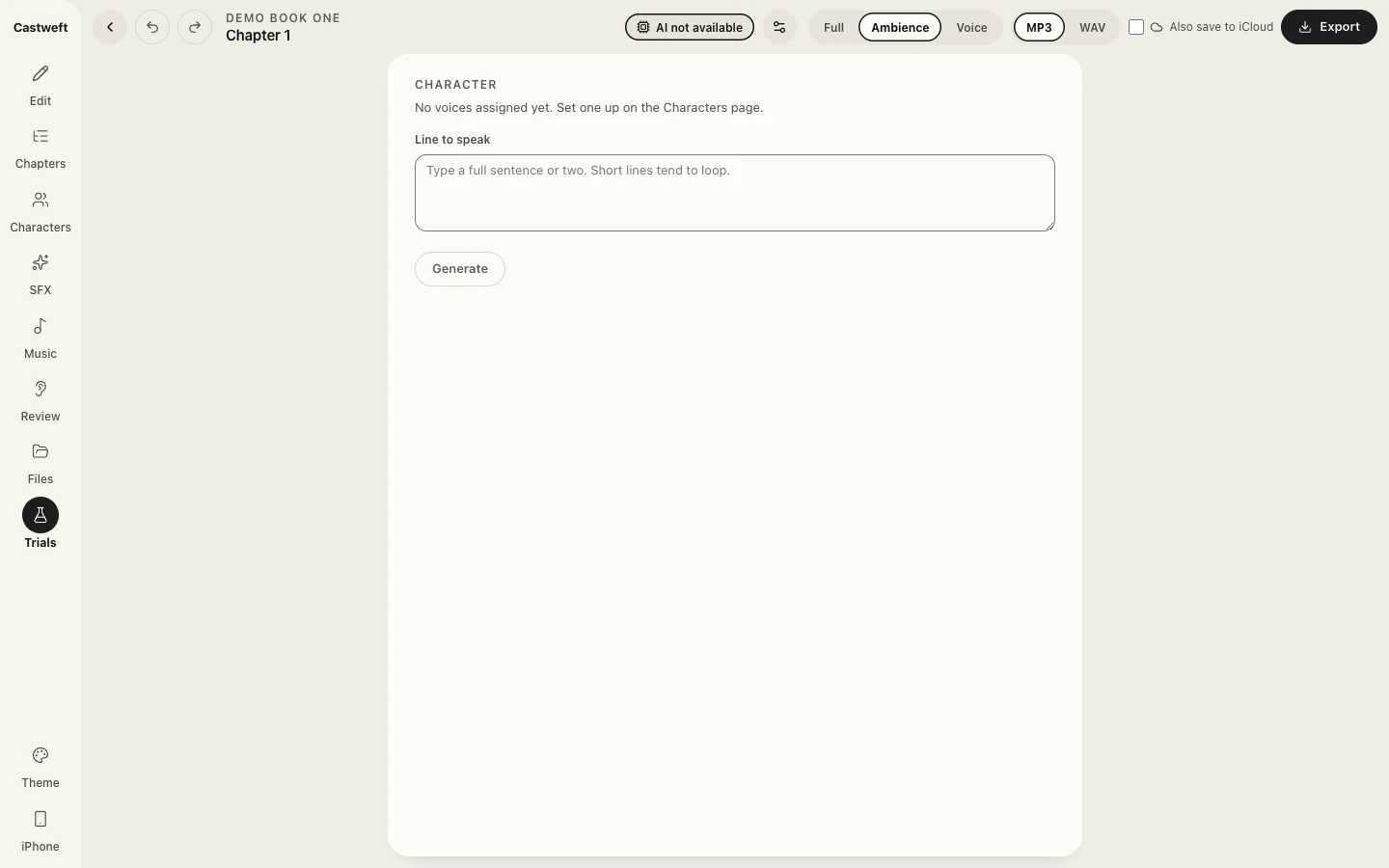
The Trials screen of the Mac app in the Light theme: a field for a line to speak and a Generate button that is not available.
Trials, Light theme, Mac app

Tooltips, 10 October 2026: each control says what it does, and why when it is not available.
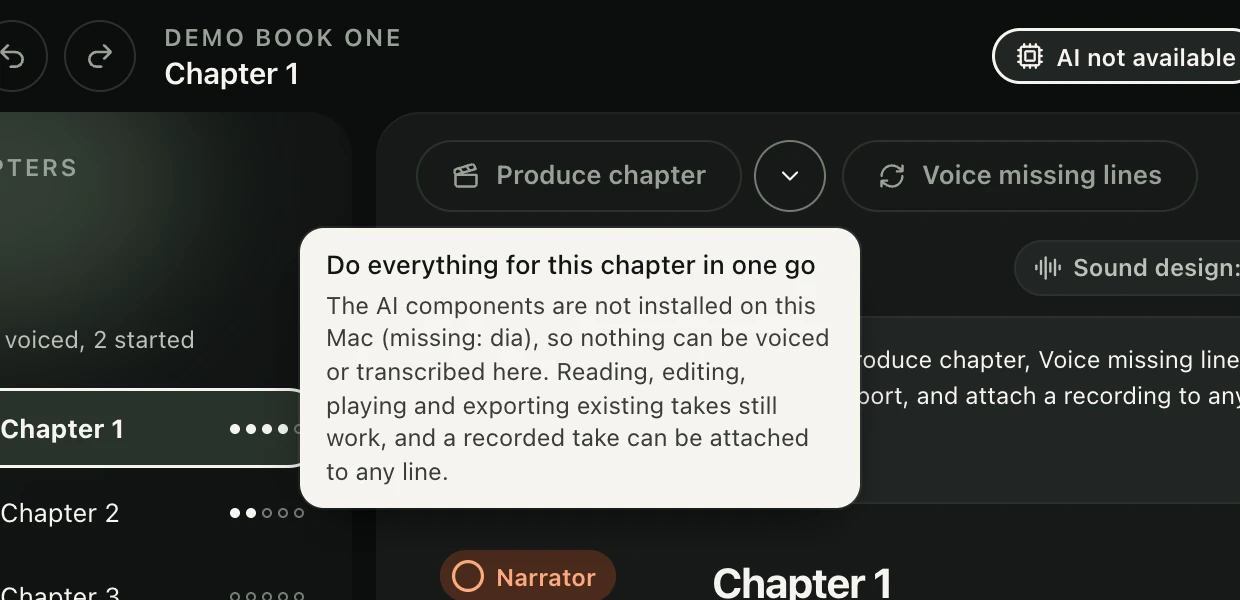
Close view in the Dark theme. A light tooltip under the button Produce chapter reads Do everything for this chapter in one go, and explains that the AI components are not installed on this Mac, so nothing can be voiced or transcribed here, while reading, editing, playing and exporting existing takes still work.
Tooltip, Produce chapter, Dark theme, Mac app
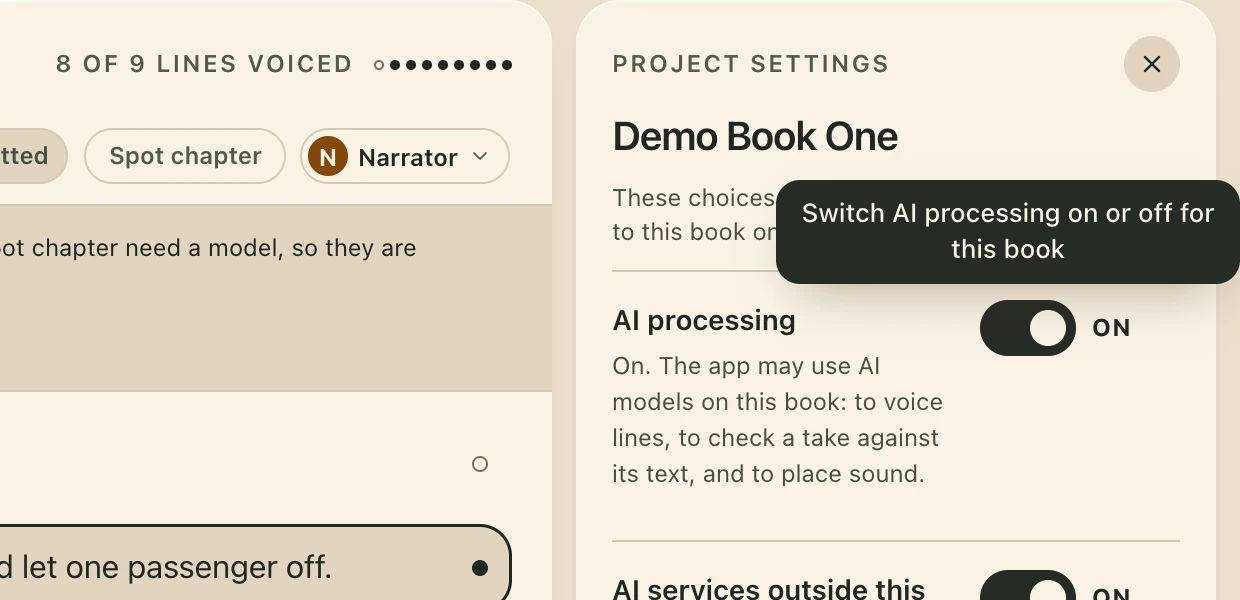
Close view in the Day theme. A dark tooltip over the Project settings panel of Demo Book One reads Switch AI processing on or off for this book. Below it the switch AI processing, set to on, with a line on what the app may use AI for.
Tooltip, AI processing, Day theme, Mac app
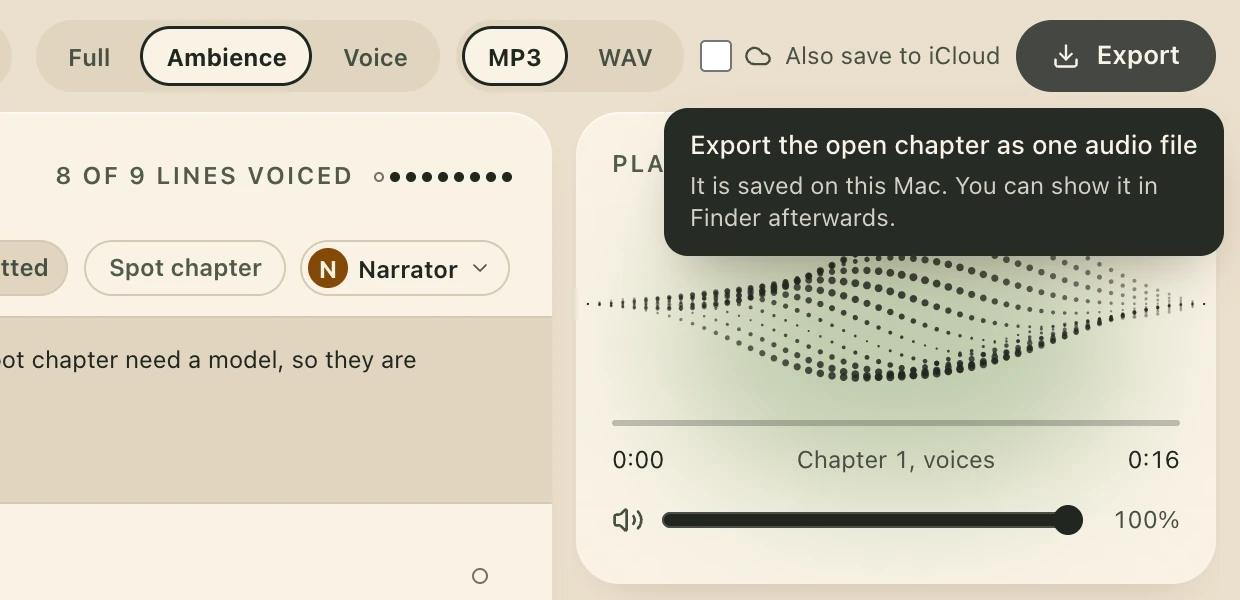
Close view in the Day theme. A dark tooltip under the Export button reads Export the open chapter as one audio file. It is saved on this Mac. You can show it in Finder afterwards. Beside it the choices Full, Ambience, Voice and MP3, WAV.
Tooltip, Export, Day theme, Mac app

The Mac side of pairing, and the iPhone app in the simulator with a test address. The pairing panel still carries the app's first name, Voice Studio.
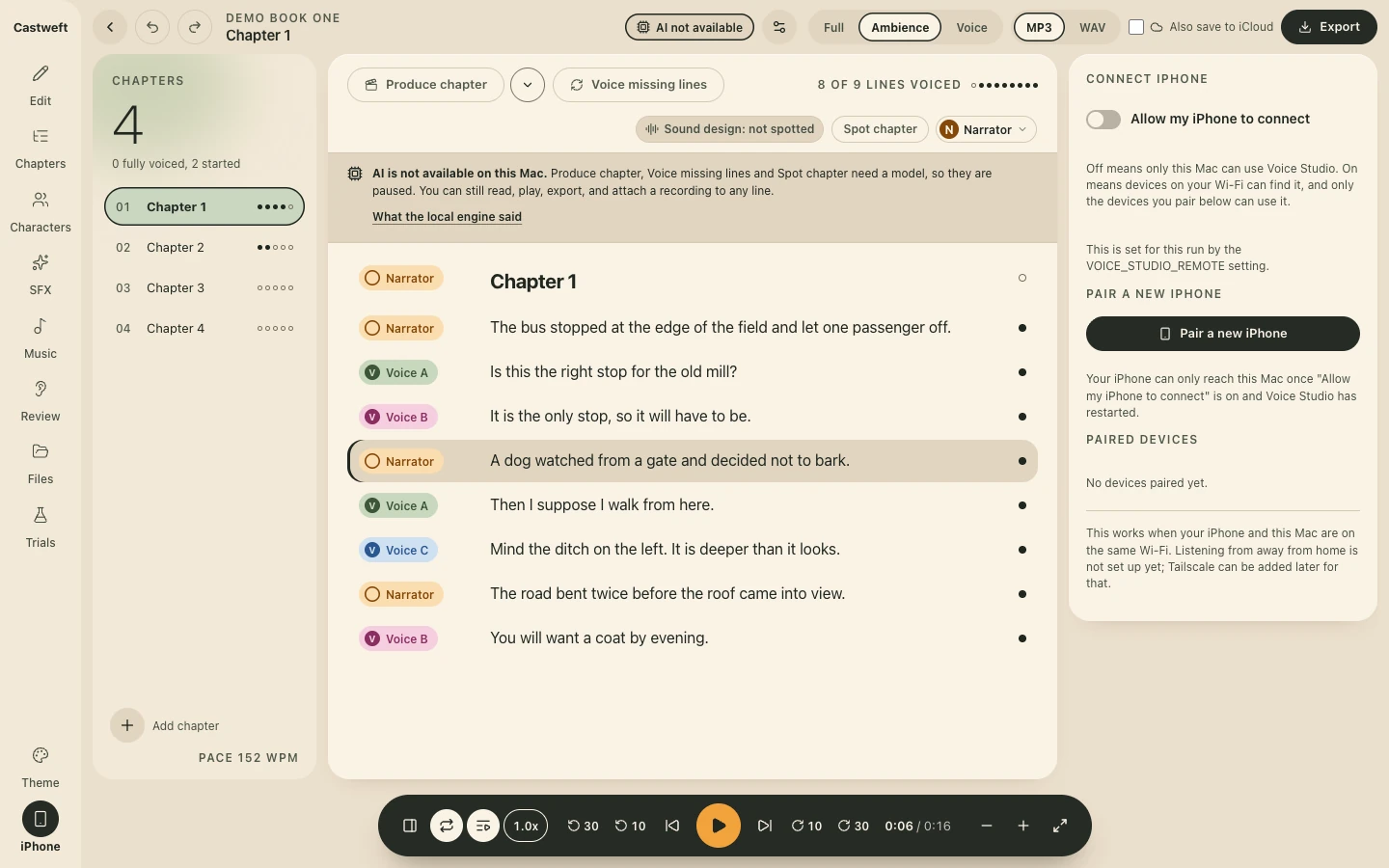
The Connect iPhone panel of the Mac app in the Day theme. A switch Allow my iPhone to connect, switched off, with an explanation. A button Pair a new iPhone. Under Paired devices: No devices paired yet. A closing note says this works when the iPhone and the Mac are on the same Wi-Fi.
iPhone, Day theme, Mac app
The same iPhone Settings sheet in the dark look: Your Mac with Mac, Address and Status, Pair Again and Forget This Mac, Autoplay Next Chapter switched on, and the Storage rows.
Settings, dark, iPhone app, simulator

Concepts with placeholder content. None of this is built. The app today is the one shown above.
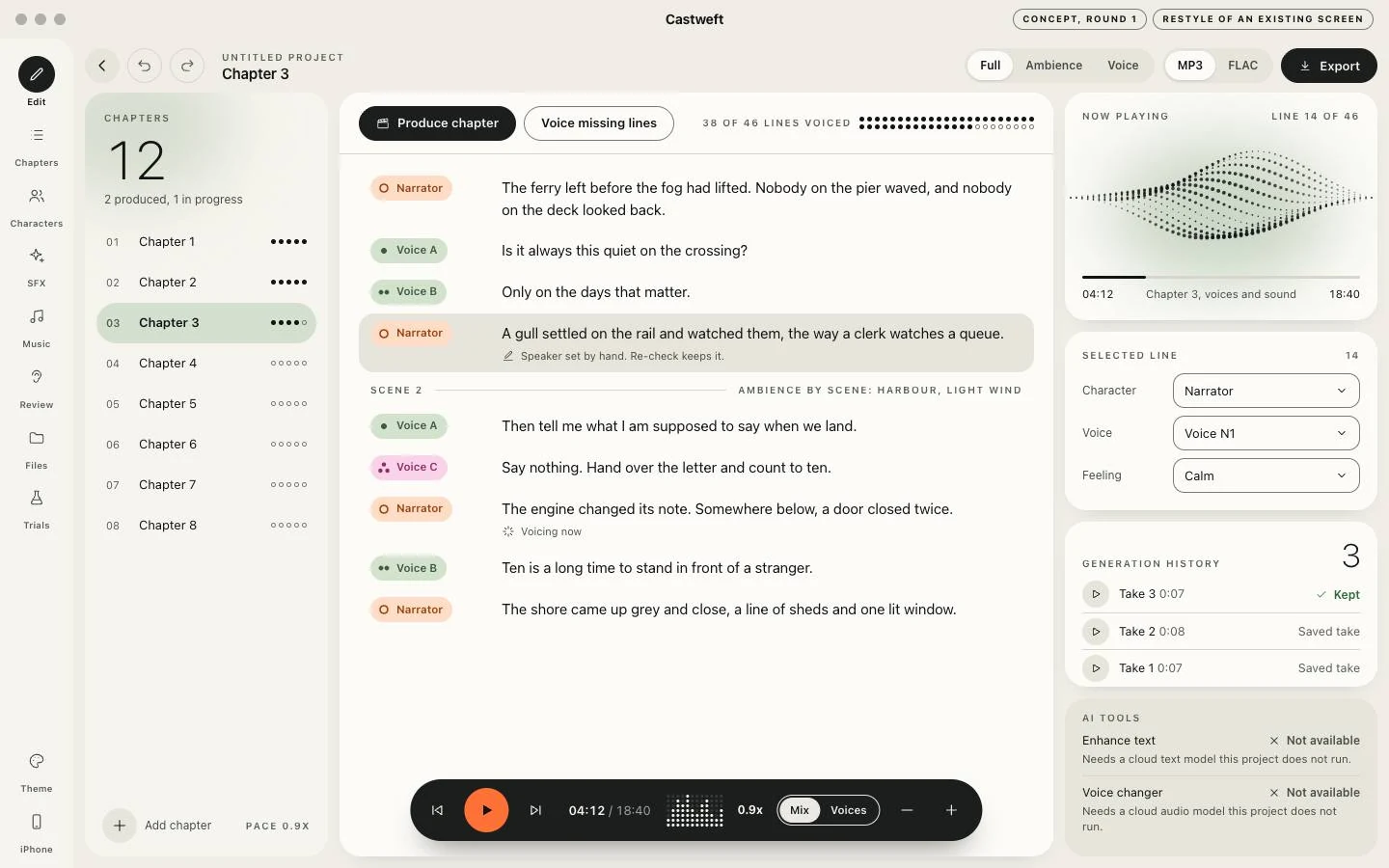
Concept frame titled Castweft with the tags Concept, round 1 and Restyle of an existing screen. Three panes on an ivory ground: a chapter list, lines of placeholder text with coloured speaker pills for Narrator, Voice A, Voice B and Voice C, and a column with a dotted wave, the selected line and a history of takes. A dark pill shaped transport with an orange play button sits at the bottom.
Studio, Round 1, Concept
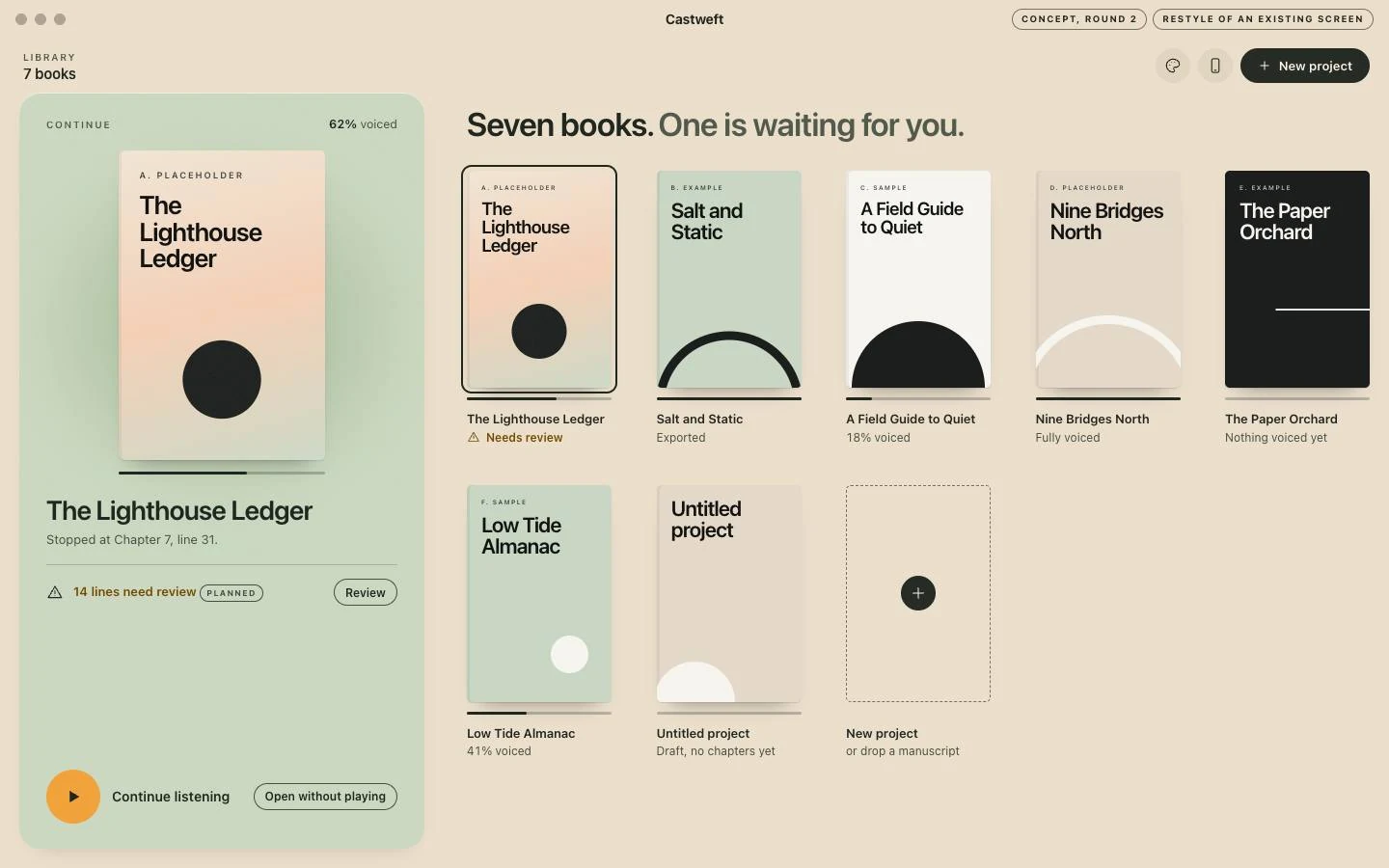
Concept frame titled Castweft with the tags Concept, round 2 and Restyle of an existing screen, on a warm sand ground. A sage panel on the left holds one large book cover with a Continue listening button. On the right seven invented book covers in two rows, each drawn from its title and one simple form, and a dashed tile for a new project.
Library, Round 2, Concept
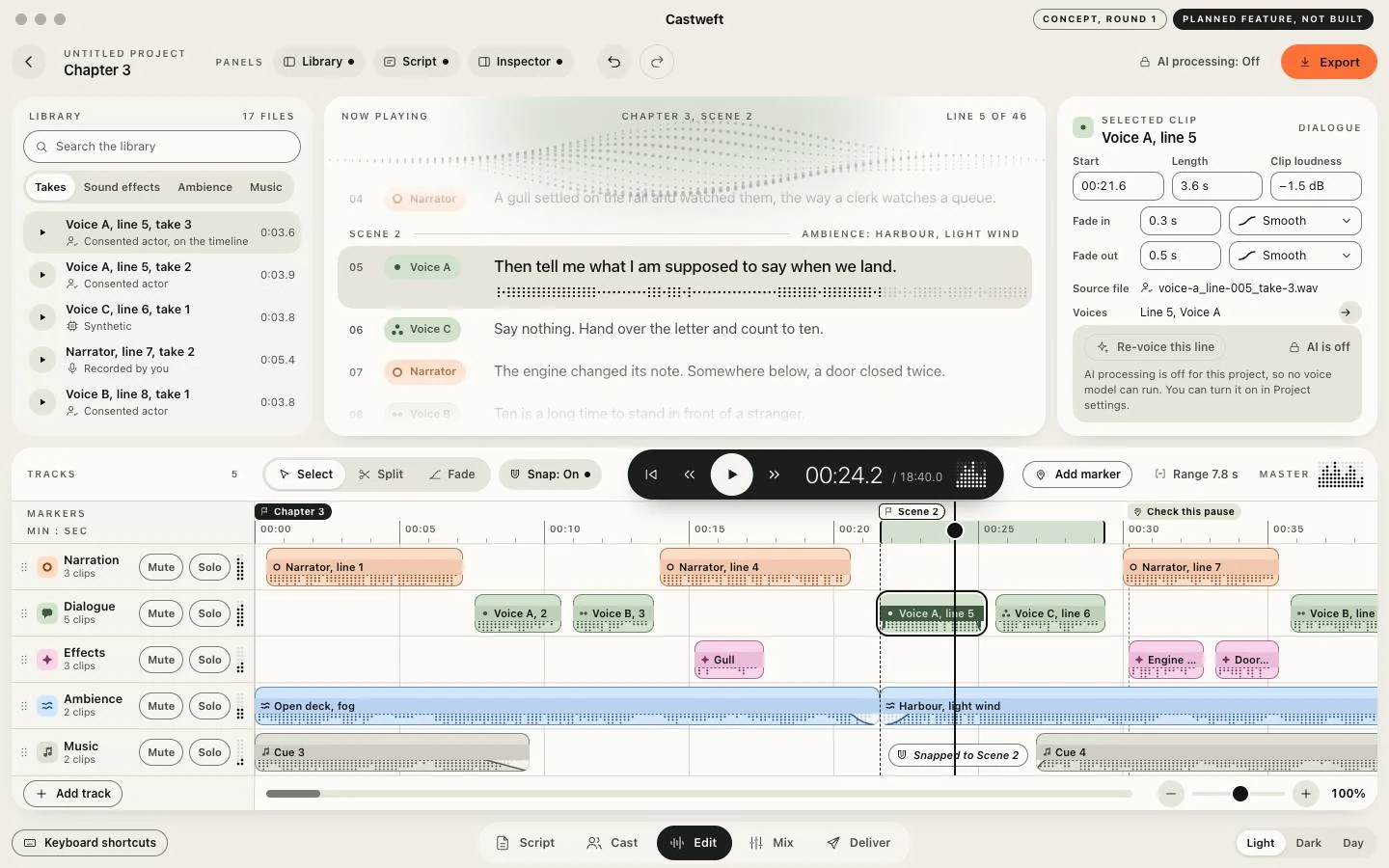
Concept frame titled Castweft with the tags Concept, round 1 and Planned feature, not built. Top: a library of takes, the script with one line selected, and a panel for the selected clip. Bottom: five tracks named Narration, Dialogue, Effects, Ambience and Music with coloured clips on a time ruler, a playhead, and Mute and Solo buttons per track.
Timeline workspace, Round 1, Concept of a planned feature
Visit websitecastweft.com